Glitch effects are one of the most-searched aesthetics in motion design, and After Effects’ native toolkit barely scratches the surface. The built-in displacement and channel effects can get you partway there, but anything approaching real datamoshing, analog signal degradation, or pixel sorting requires dedicated plugins. The good news is the ecosystem has matured significantly. There are now purpose-built tools for nearly every glitch subgenre, from VHS tape corruption to digital compression artifacts.
This list covers the nine best glitch plugins available for After Effects right now, ranked by how much they actually solve specific workflow problems. Whether you’re doing a music video that needs frame-level datamosh, a sci-fi title sequence requiring subtle digital noise, or a horror edit with full VCR breakdown, there’s a specific tool here for each scenario. We pulled the best options from the aescripts glitch category and supplemented with a few standalone picks the directory also carries.
Here are the 9 best glitch effect plugins for After Effects:
| Plugin | Best For | Pricing |
|---|---|---|
| Glitch Bundle | All-in-one glitch toolkit | Paid |
| Spotlight FX | Ready-to-use glitch assets, fast | Freemium |
| TV Distortion Bundle | Analog TV and VHS looks | Paid |
| Datamosh 2 | True datamosh and motion smear | Paid |
| Signal | Authentic analog TV signal corruption | Freemium |
| Modulation 2 | Radio wave and frequency distortion | Freemium |
| Pixel Sorter 3 | Pixel sorting and glitch art | Paid |
| Glitch Control | Modular, composable glitch modules | Paid |
| Data Glitch 2 | Quick digital block glitches | Paid |
1. Glitch Bundle
If you’re doing glitch work regularly, buying individual plugins one at a time is inefficient. The Glitch Bundle combines five of the most-used digital glitch plugins (Data Glitch 2, Pixel Sorter 3, Datamosh 2, Glitch Control, and memleak) into a single purchase at 25% off. That’s meaningful savings given each of these tools holds up independently.
The bundle’s real value is the range it covers. Datamosh 2 handles motion-data manipulation for the smeared, inter-frame look. Pixel Sorter 3 reorganizes pixels by luminance or hue for glitch art and abstract breakdowns. Glitch Control gives you four modular effect units you can layer. Data Glitch 2 handles block and offset glitches. memleak reads actual computer memory as pixel data, producing infinite random glitch variations on every render. Together, they cover every major glitch subgenre without overlap.
The main limitation is that this bundle doesn’t include analog/VHS simulation. You’d need Signal or the TV Distortion Bundle for that territory. It’s oriented squarely at digital glitch aesthetics.
Key features:
- Five plugins: Data Glitch 2, Pixel Sorter 3, Datamosh 2, Glitch Control, memleak
- 60+ moshing algorithms across the bundle
- GPU acceleration on most effects
- Works in After Effects and Premiere Pro (varies by plugin)
- 25% bundle discount vs. individual purchases
Pros/Cons:
- Pros: Comprehensive coverage of digital glitch territory, strong value at bundle price, all tools are professionally maintained
- Cons: No analog/VHS simulation included, learning curve across five different UIs, Datamosh 2 requires pre-rendered footage for best results
Best for: Motion designers who want a permanent glitch toolkit and work across different glitch aesthetics regularly
Pricing: Paid (bundle discount over individual purchases)
2. Spotlight FX
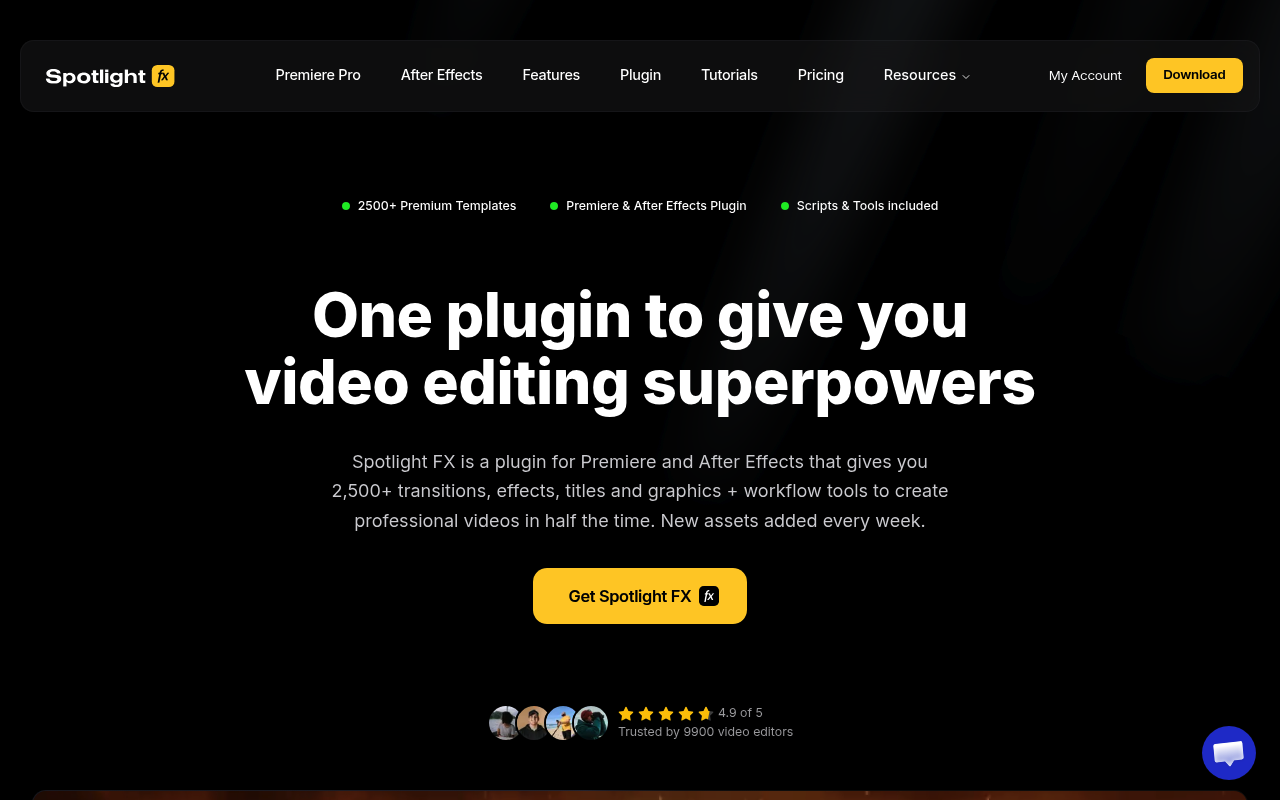
Most dedicated glitch plugins require setup time: you need to understand the parameters, dial in the right look, and often pre-render footage first. Spotlight FX takes the opposite approach: it’s a cloud-based asset library where glitch effects, VHS overlays, and glitch transitions are pre-built and ready to drop into your timeline with a double-click.
For editors and motion designers who need a glitch look quickly without deep customization, this is often the fastest path. The library includes Glitch Effects, VHS Effects, Free Glitch Transitions, and glitch-adjacent categories like Artifacts, Film Grain Overlays, and Prism Effects, all within a single subscription. The free tier includes 39 templates plus all workflow scripts, which gives you a real sense of the library quality before committing.
The honest limitation is that Spotlight FX is a template library, not a generative plugin. You’re choosing from pre-built assets rather than building glitch behavior from parameters. If you need precise control over displacement amount, channel shift values, or moshing intensity, one of the purpose-built tools below will serve you better. But for fast turnarounds and broad glitch aesthetics, the asset coverage here is substantial.
Key features:
- 2,300+ total assets including dedicated glitch effects, VHS effects, and glitch transitions
- Double-click to land assets directly on your timeline
- Works in both After Effects and Premiere Pro
- Free tier with 39 templates and 10+ workflow scripts
- Categories include: Glitch Effects, VHS Effects, Glitch Transitions, Artifacts, Prism Effects
Pros/Cons:
- Pros: Fastest path from zero to glitch look, covers VHS and digital glitch aesthetics, works across AE and Premiere, strong free tier
- Cons: Pre-built assets rather than parametric control, customization is limited compared to dedicated glitch generators
Best for: Editors and generalist motion designers who need glitch looks on deadline without plugin configuration time
Pricing: Freemium. Free tier available; $29/mo, $14/mo annually, or $299 lifetime
3. TV Distortion Bundle
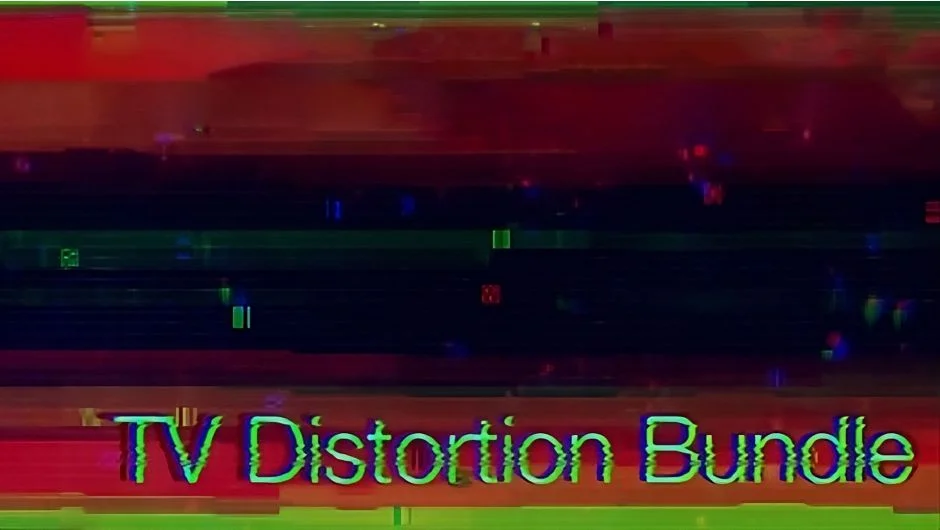
The TV Distortion Bundle targets analog glitch territory specifically: VHS tape artifacts, CRT scanlines, RGB pixel grids, and channel separation. It bundles five plugins (Data Glitch, Bad TV, TVPixel, Dot Pixels, and Separate RGB), each handling a distinct part of the analog distortion aesthetic.
Bad TV is the anchor here. It simulates the specific failure modes of old television sets: vertical sync errors, horizontal banding, static noise, and signal dropout. The results are noticeably more authentic than what you’d get tweaking AE’s built-in displacement and noise effects. TVPixel adds the LED/LCD pixel grid simulation that makes footage look like it’s being displayed on an old monitor. Separate RGB handles independent channel displacement for chromatic aberration effects that feel optically real rather than digitally applied.
The bundle has audio-reactive potential too. Several effects respond to amplitude data, which is useful for music video work. Performance on complex 4K comps can be slower than you’d expect from GPU-accelerated tools, so budget preview time accordingly.
Key features:
- Five plugins: Data Glitch, Bad TV, TVPixel, Dot Pixels, Separate RGB
- Authentic VHS vertical sync and horizontal banding simulation
- RGB channel separation with independent transform controls
- Audio-reactive parameters on select effects
- Works in After Effects and Premiere Pro
Pros/Cons:
- Pros: The most complete analog distortion toolkit available, Bad TV is genuinely convincing, broad aesthetic range within the bundle
- Cons: Some effects are slower to preview on 4K comps, analog aesthetic is niche and not useful for digital glitch work
Best for: Editors working on VHS aesthetics, found footage projects, or any content where analog television failure is the target look
Pricing: Paid
4. Datamosh 2
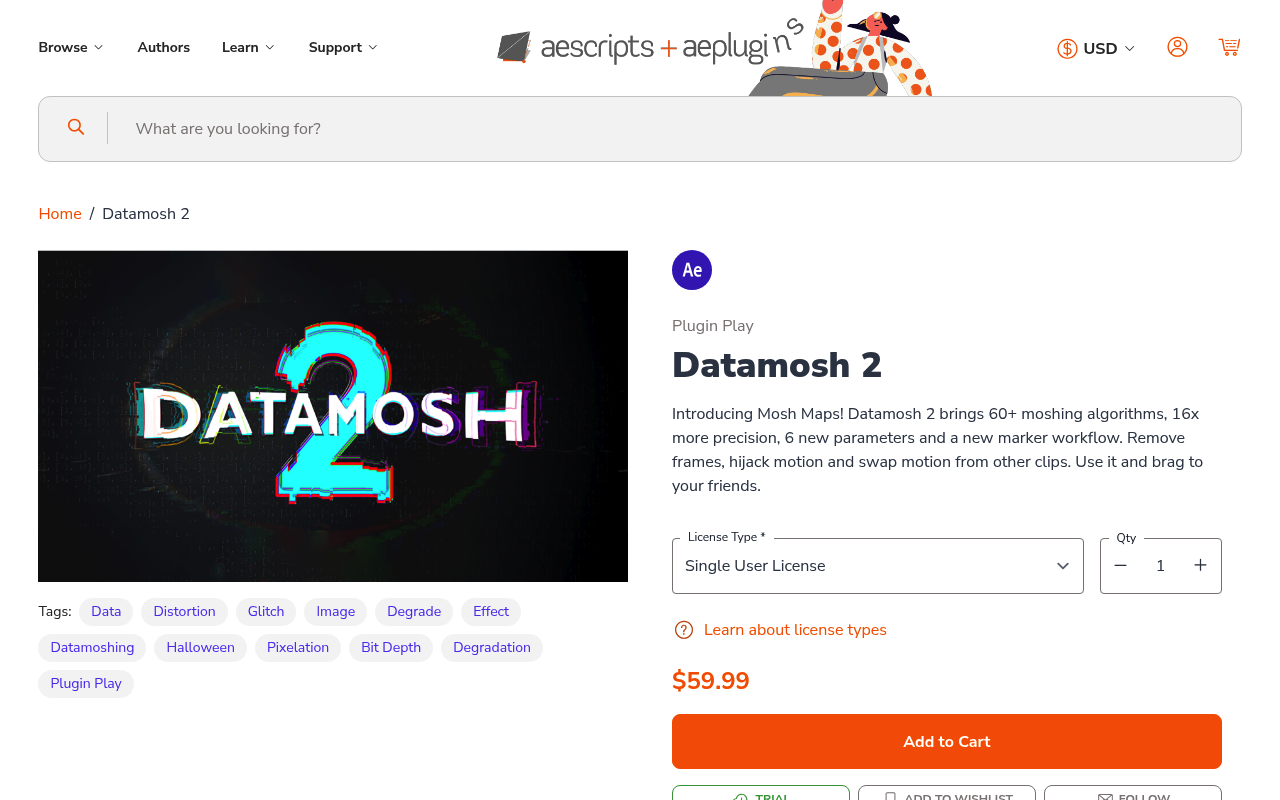
Datamoshing is the technique of removing keyframes from compressed video so motion vectors bleed between unrelated shots. The effect where faces melt into backgrounds and color fields smear across cuts. Datamosh 2 is the most widely used AE plugin for this, and it earns that position by actually simulating the compression artifact behavior rather than just applying displacement maps.
The plugin works by manipulating I-frame and P-frame data in your footage, duplicating motion vectors to create the characteristic pixel smearing. This means it works best on pre-rendered footage where compression artifacts are already present or can be simulated. For work where you control the source (a music video, a stylized title sequence, a VJ loop), the results are significantly more convincing than trying to fake datamosh with displacement effects.
One practical note: Datamosh 2 requires some workflow adjustment. You typically need to render your timeline to a compressed format first, bring it back in, then apply the effect. This adds a step compared to real-time preview plugins, but the visual results justify the extra render pass for projects where the datamosh look is central rather than incidental.
Key features:
- Simulates I-frame removal and motion vector duplication
- Multiple moshing algorithms for different artifact styles
- Controls for intensity, area masking, and blend modes
- Works on pre-rendered footage and native compositions
- Compatible with After Effects CS6 and later
Pros/Cons:
- Pros: The most authentic datamosh simulation available in AE, results look like actual codec corruption rather than displacement filters
- Cons: Requires pre-rendered footage for best results, adds a workflow step, not suitable for quick draft previews
Best for: Music video directors and motion designers where datamosh is a primary visual language, not a finishing touch
Pricing: Paid (also available in the Glitch Bundle)
5. Signal
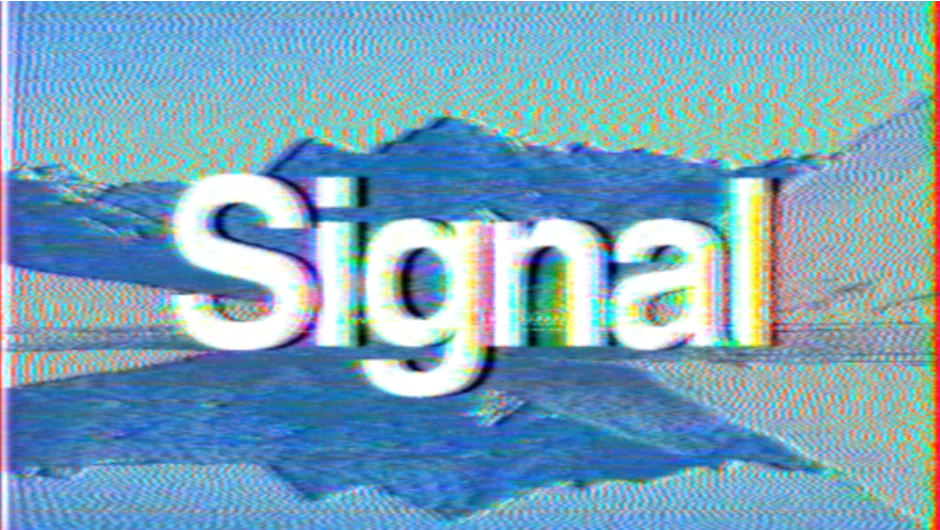
Signal approaches analog distortion from an engineering angle: it models how actual television transmission technology works, then allows you to degrade that signal in controlled ways. The result is analog glitch that behaves like real hardware failure rather than a filter applied over clean footage.
The specific artifacts Signal produces (modulated noise, videotape degradation, horizontal banding, and the distinctive TV-bend characteristic of CRT sets) are different from what Bad TV generates. Both tools work in analog territory, but Signal has a more physics-grounded approach that tends to produce subtler, more credible corruption when used at low intensity. At high intensity, it goes full psychedelic, which is a different use case but equally valid.
Being freemium, Signal is worth downloading and testing before committing to any paid analog distortion tool. The free tier gives you meaningful access to its core behavior. It also pairs well with Modulation 2 from the same developer (available in the Zaebects Bundle) for layered analog distortion workflows.
Key features:
- Physics-based analog TV signal simulation
- Modulated noise, videotape degradation, and CRT bend effects
- Freemium pricing with functional free tier
- Pairs with Modulation 2 and Physarum for complex layered effects
- Works natively in After Effects
Pros/Cons:
- Pros: Freemium entry point, credible analog physics behind the distortion, scales from subtle to extreme
- Cons: Less intuitive UI than some competitors, best results require understanding analog TV signal concepts
Best for: Motion designers who want analog distortion with physical accuracy, especially at subtle intensity levels where fakery shows
Pricing: Freemium
6. Modulation 2
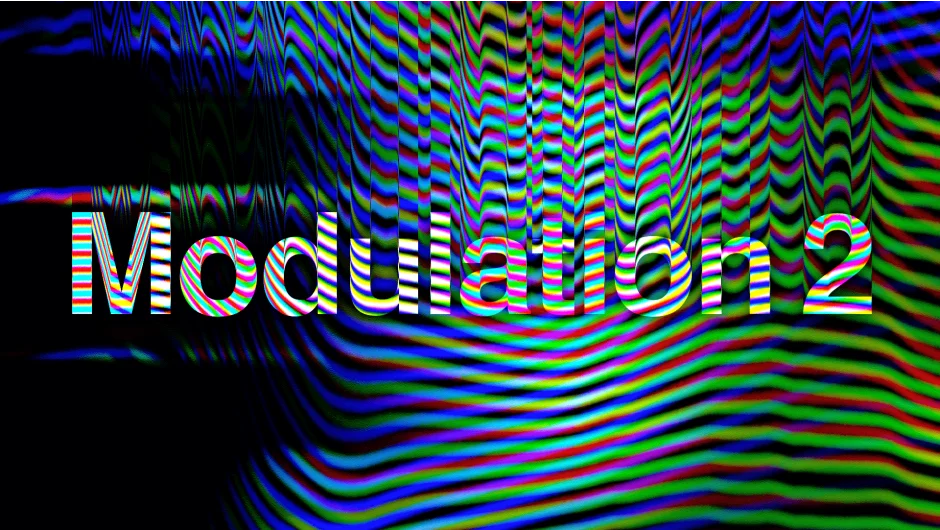
Modulation 2 applies radio wave mathematics to video: it treats your footage as a carrier signal and modulates it using frequency, amplitude, and phase controls that would be at home on an analog synthesizer. The results sit in territory between analog TV distortion and abstract frequency-based distortion that doesn’t quite map to any real-world hardware.
What makes Modulation 2 interesting for glitch work is the independent channel control. You can modulate the red, green, and blue channels at different frequencies, creating RGB split effects that breathe and shift rather than staying static. This produces a more organic, less obviously digital feel than standard channel displacement approaches.
It’s also freemium, which makes it a low-risk addition to any glitch toolkit. It’s available individually or as part of the Zaebects Bundle alongside Signal and Physarum, which is worth considering if analog and organic simulation are both priorities in your work.
Key features:
- Radio wave modulation applied to video channels
- Independent RGB channel frequency control
- Wave frequency, amplitude, and phase parameters
- Controls for color channel output and blend modes
- Freemium, also available in the Zaebects Bundle
Pros/Cons:
- Pros: Produces organic-feeling RGB distortion that’s distinct from standard channel displacement, freemium, pairs well with Signal
- Cons: Abstract parameter set requires experimentation to understand what each control does, not intuitive for beginners
Best for: Motion designers layering multiple analog distortion effects who need an organic frequency-based component
Pricing: Freemium
7. Pixel Sorter 3
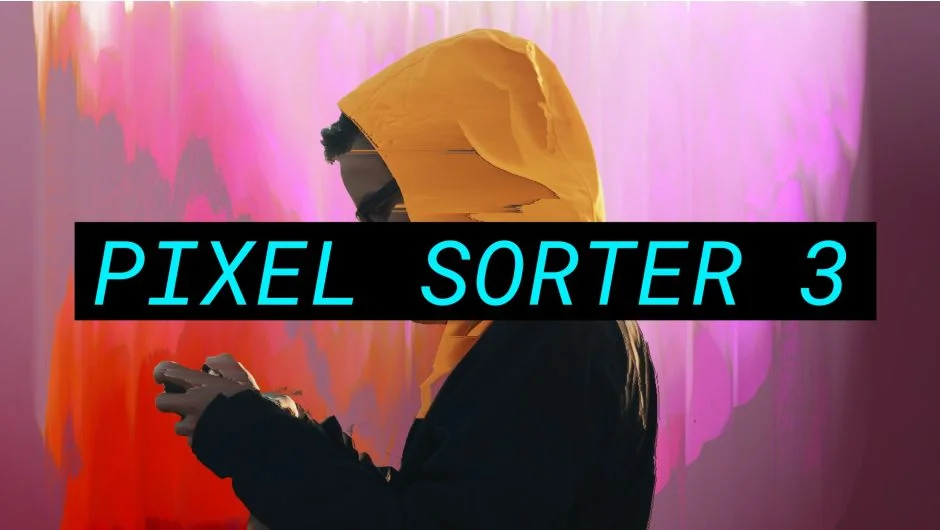
Pixel sorting is a glitch art technique where pixels in a frame are reorganized based on a property (usually brightness, hue, or saturation), creating streaking, smearing patterns that look like the image is melting or crystallizing. Pixel Sorter 3 is the dedicated After Effects plugin for this, and it’s GPU-accelerated, which matters given how computationally heavy pixel sorting can be on 4K footage.
The plugin supports mask-based sorting, so you can isolate the sorting effect to specific areas of the frame rather than applying it globally. This is critical for any professional use where you want glitch applied surgically (sorting the background while keeping a subject relatively intact, for example). Sorting direction, threshold, and length are all keyframable, so the effect can build and evolve over time.
Pixel Sorter 3 is also available in the Glitch Bundle if you’re planning to pick up multiple tools. As a standalone, it’s the definitive pixel sorting solution for After Effects. Nothing native comes close.
Key features:
- Pixel sorting by brightness, hue, saturation, or custom channel
- GPU-accelerated for real-time performance on modern hardware
- Mask-based sorting for targeted application
- Keyframable direction, threshold, and length
- Works in After Effects and Premiere Pro
Pros/Cons:
- Pros: GPU acceleration makes it viable on 4K comps, mask control is essential for professional work, distinct visual territory from other glitch tools
- Cons: Pixel sorting is a specific aesthetic that doesn’t generalize. You won’t use this on every project
Best for: Motion designers working in glitch art, abstract aesthetics, or music videos where crystalline pixel sorting is a deliberate visual language
Pricing: Paid (also available in the Glitch Bundle)
8. Glitch Control
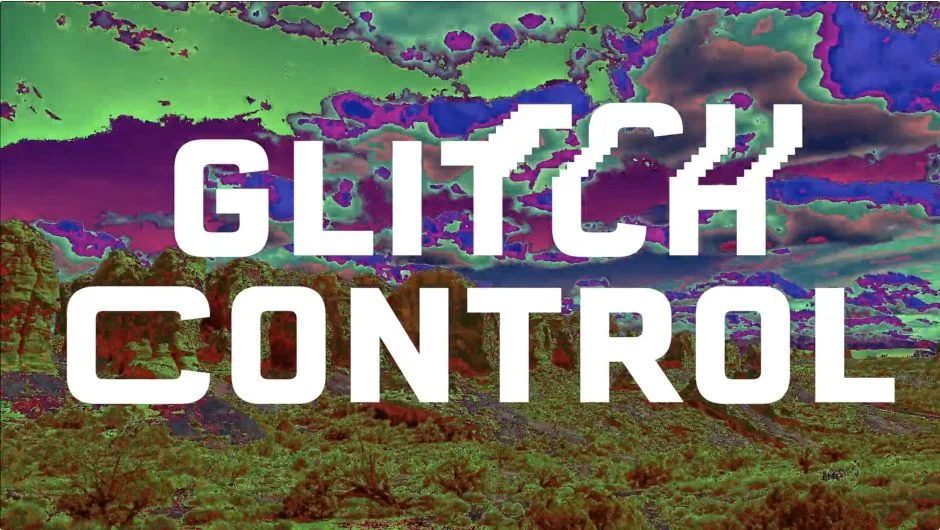
Glitch Control is organized as four independent effect modules (RGB split, displacement, stretch, and color cycle), each of which can be enabled or disabled independently. This modular structure is its main differentiator: rather than a single preset-based glitch generator, you’re stacking discrete distortion behaviors and controlling them separately.
The RGB split module in particular is well-implemented. Unlike a basic channel offset, it includes independent scale, rotation, and opacity per channel, giving you the kind of fine-grained control that makes the difference between a glitch effect that looks intentional and one that looks slapped on. The displacement module adds blocky pixel shifting, and the stretch module creates the horizontal tearing characteristic of corrupted video playback.
For compositors already comfortable with After Effects’ effect stack, Glitch Control fits naturally into the workflow. It’s applied like any other effect and exposes standard keyframable parameters. Works in both After Effects and Premiere Pro, which is useful if your delivery pipeline spans both apps.
Key features:
- Four independent modules: RGB split, displacement, stretch, color cycle
- Per-channel scale, rotation, and opacity in the RGB split module
- Standard AE effect interface with keyframable parameters
- Works in After Effects and Premiere Pro
- Can be masked like any native AE effect
Pros/Cons:
- Pros: Modular design gives precise control over each distortion type, familiar effect interface, Premiere Pro compatible
- Cons: Less visually extreme at default settings than some competitors, color cycle module is limited compared to dedicated color grading tools
Best for: Compositors who want to layer discrete glitch behaviors with precision rather than applying a preset-based all-in-one effect
Pricing: Paid (also available in the Glitch Bundle)
9. Data Glitch 2
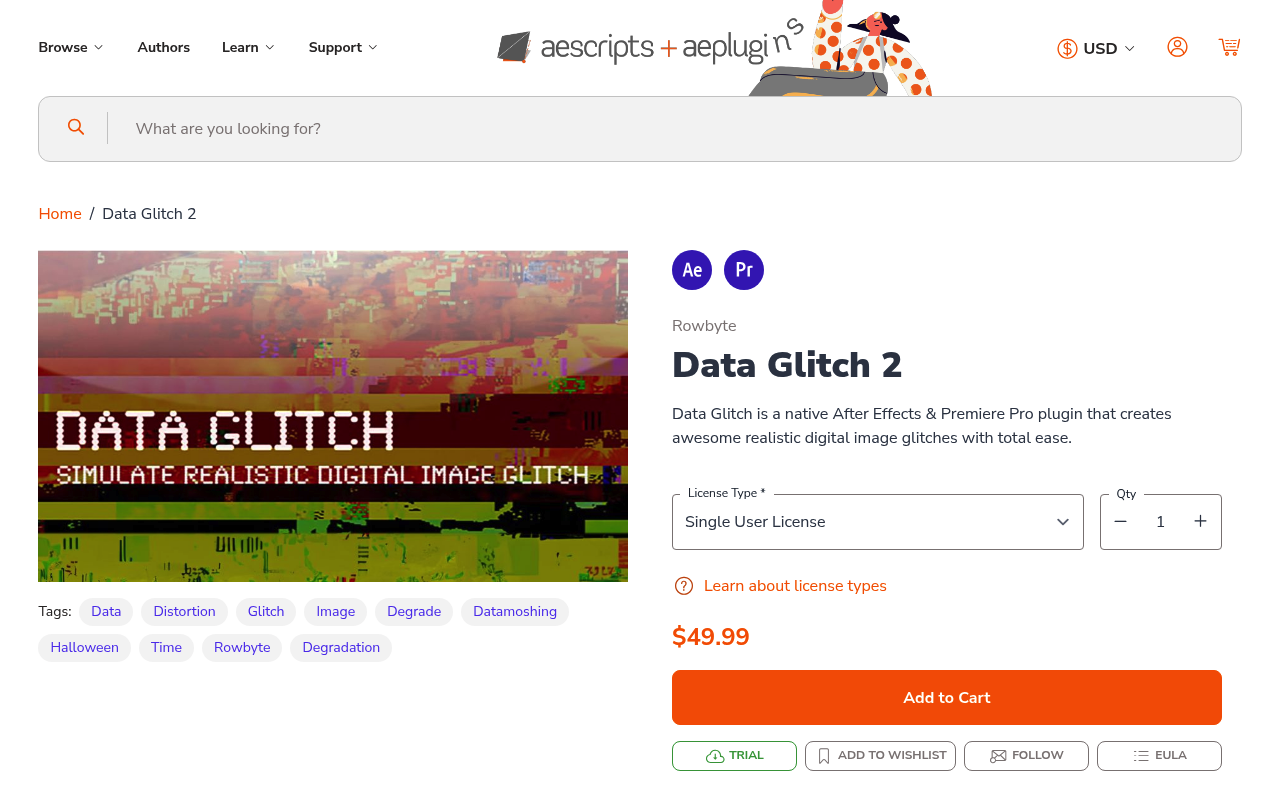
Data Glitch 2 handles a specific visual territory: the blocky, tearing, offset artifacts associated with digital video compression failure. It offers four glitch types (scan, block, offset, and rect) with per-channel control on each. This is the tool for when you need quick digital corruption that reads clearly on screen without the workflow overhead of Datamosh 2’s pre-render requirement.
Because it works directly as an After Effects effect (no pre-render needed), Data Glitch 2 is faster to iterate than the datamosh workflow. You can keyframe intensity, timing, and glitch type directly on your timeline and preview results in real time. The visual results are less physically accurate than true datamoshing but more immediately controllable, which is the right tradeoff for a lot of production contexts.
It’s also the most approachable entry point in the Glitch Bundle for designers new to glitch work. The four glitch types are self-explanatory, the parameters are limited enough that you can’t get lost, and the results look professional within a few minutes of setup.
Key features:
- Four glitch types: scan, block, offset, rect
- Per-channel control for RGB glitch behavior
- Direct AE effect application, no pre-render required
- Keyframable intensity and timing
- Native After Effects plugin with motion graphics preset support
Pros/Cons:
- Pros: No pre-render workflow required, fast iteration, most beginner-friendly tool on this list
- Cons: Less physically authentic than Datamosh 2, limited to four glitch types
Best for: Motion designers who need quick digital corruption effects on tight timelines, or those new to glitch work who want a low-complexity starting point
Pricing: Paid (also available in the Glitch Bundle)
How We Evaluated These Plugins
Every plugin on this list was assessed against the same criteria. First, authenticity: does the glitch effect look like a real hardware or software failure, or does it look like a Photoshop filter? The best tools simulate actual signal physics or compression behavior. Second, workflow fit: how much setup does the effect require, and does that overhead match the visual payoff? Datamosh 2 requires a pre-render step; that’s acceptable for a hero effect, less so for a quick background treatment.
We also considered parameter control and keyframability. Glitch effects that can only be applied statically are limited to transitions and inserts. The more interesting work involves glitch that evolves over time. Performance on 4K comps factored in for GPU-dependent tools. Finally, price-to-value ratio: several tools here are freemium or included in bundles, which changes the calculus considerably. The Glitch Bundle in particular represents strong value if you’re planning to work in glitch territory long-term rather than for a single project.
What to Look for in a Glitch Plugin
Before purchasing, identify which glitch subgenre you actually need. Analog distortion (VHS, CRT, signal noise) and digital glitch (datamosh, pixel sorting, block compression) require fundamentally different tools. The TV Distortion Bundle and Signal target analog territory. Datamosh 2, Pixel Sorter 3, and Data Glitch 2 target digital territory. Glitch Control and Glitch Bundle span both.
Compatibility matters. Most tools on this list support After Effects 2020 and later on both macOS and Windows. Check GPU requirements: pixel sorting and some displacement effects are significantly faster with CUDA or Metal acceleration. If you’re on an older machine or AMD GPU, preview times may be slower than advertised.
Workflow integration. Some effects require pre-rendered footage (Datamosh 2), while others apply directly to live compositions (Data Glitch 2, Glitch Control, Signal). If you’re iterating quickly with a client in the room, the direct-application tools will save you from awkward render waits.
Premiere Pro compatibility is worth checking if your delivery pipeline runs through Premiere. Several tools here (including TV Distortion Bundle, Pixel Sorter 3, and Glitch Control) work in both apps, which is useful for editors who do finishing work in Premiere rather than AE.
Update frequency is easy to overlook. After Effects updates regularly and plugins can break. The tools on this list from aescripts have strong maintenance track records. Check the product page for the last update date before purchasing any glitch plugin not on this list.
Frequently Asked Questions
What’s the best free glitch plugin for After Effects?
Signal is the strongest free option. Its freemium tier gives you genuine access to analog TV distortion without paying. Modulation 2 is also freemium and covers frequency-based distortion. For digital glitch specifically, the free tier options are thinner. Most purpose-built digital glitch tools are paid.
Can you create glitch effects in After Effects without plugins?
Yes, but the results take significantly more work and tend to look less authentic. Native techniques involve stacking effects like CC Block Load, Displacement Map, and channel manipulation with expressions driving the randomness. The results can be convincing for subtle digital noise but fall short for datamosh, pixel sorting, and analog signal degradation, all of which require dedicated plugins to look right.
Does Datamosh 2 work on any footage, or does it need specific source material?
Datamosh 2 works best on pre-rendered compressed video where actual codec data exists for it to manipulate. Applying it directly to raw footage or image sequences gives weaker results because there’s no motion vector data to exploit. The standard workflow is: render your timeline to H.264 or similar, import the render, apply Datamosh 2 to the compressed file.
What’s the difference between the Glitch Bundle and the TV Distortion Bundle?
They target different aesthetics. The Glitch Bundle (Data Glitch 2, Pixel Sorter 3, Datamosh 2, Glitch Control, memleak) covers digital glitch territory. The TV Distortion Bundle (Bad TV, TVPixel, Dot Pixels, Separate RGB, Data Glitch) covers analog television and CRT distortion. There’s some overlap via Data Glitch, but if you need VHS and CRT looks, the TV Distortion Bundle is the right choice. If you need datamosh and pixel sorting, the Glitch Bundle is.
Are glitch plugins GPU-accelerated in After Effects?
Several are. Pixel Sorter 3 and memleak are GPU-accelerated, which makes a meaningful difference on 4K comps. Signal, Modulation 2, and Data Glitch 2 run on CPU. The TV Distortion Bundle effects are mostly CPU-based with some GPU acceleration depending on the specific plugin. Check the product page for each tool before purchasing if GPU performance is critical to your workflow.
Do glitch plugins work in Premiere Pro as well as After Effects?
Several do. Glitch Control, Pixel Sorter 3, and the TV Distortion Bundle all work in Premiere Pro as well as After Effects. Signal and Modulation 2 are After Effects-only. Check the product listing for each plugin if Premiere Pro compatibility is a requirement.
What’s the easiest glitch plugin to learn for beginners?
Data Glitch 2 has the most approachable parameter set: four glitch types with straightforward controls and no pre-render requirement. Glitch Control is also beginner-friendly with its modular approach, letting you enable individual effects one at a time. Both get you to a professional glitch result quickly without needing to understand signal physics or compression codecs.
Is the Glitch Bundle worth it if I only need one type of glitch effect?
Probably not. If you only need datamosh, buy Datamosh 2 standalone. If you only need pixel sorting, buy Pixel Sorter 3 standalone. The bundle makes sense if you work across multiple glitch aesthetics or plan to expand your toolkit over time. The 25% discount is real, but it only pays off if you use at least three of the five included tools.
Conclusion
For most motion designers, the clearest path is to identify which glitch subgenre you need first, then pick accordingly: the Glitch Bundle for digital territory, the TV Distortion Bundle for analog, and Signal or Modulation 2 as freemium starting points if you want to test analog distortion before spending money.
For more tools in this space, see the glitch and distortion plugins collection and the music video plugins collection where glitch effects are often central to the workflow.