
What It Does
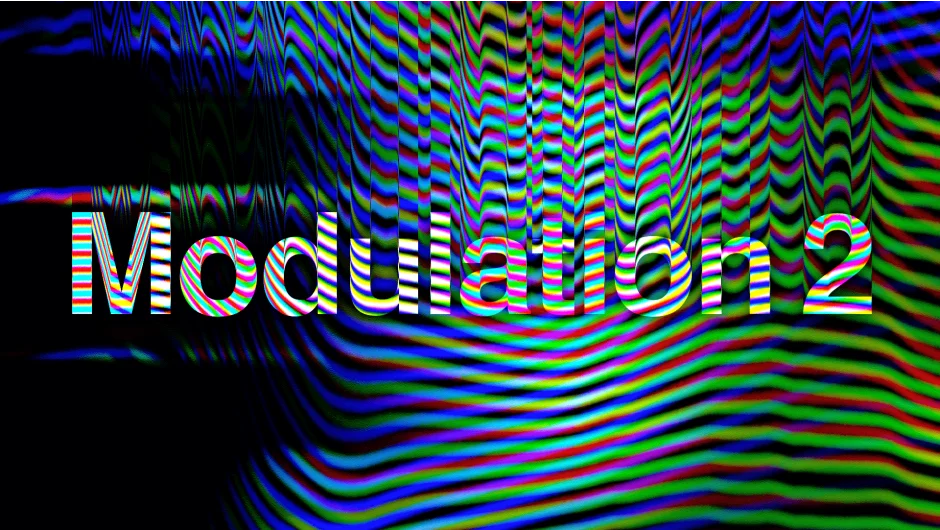
Modulation recreates analog signal processing in After Effects and Premiere Pro. The plugin treats pixel brightness as frequency data, modulates it like a radio transmission, then demodulates it back into an image. The result: authentic analog distortion that mimics old broadcast equipment glitches.
This isn’t a simple distortion filter. Modulation uses actual physics-based algorithms from signal processing, giving you granular control over how color channels break apart and reassemble.
Key Features
Omega, Phase, and Distortion controls. These three parameters define the wave behavior. Omega controls wave scale, Phase determines how color values affect wave amplitude, and Distortion sets the number of waves. Animate them together to create rolling analog interference patterns.
Five color modes. Process brightness through Greyscale, RGB, CMY, CMYK, or HSV channels. The CMY and CMYK modes work differently: CMY derives the Key channel from the intersection of three channels, while CMYK modulates Key separately. Toggle individual channels on and off to isolate specific distortions.
Four lowpass filters. These aren’t standard blur filters. They modify the modulated signal before demodulation. The fourth adjustable filter becomes particularly useful at extreme low values (below 0.004), creating a unique soft distortion. Pair it with Distortion set to 1000 for higher quality results.
Direction and orientation controls. Switch between forward/backward modulation direction and vertical/horizontal wave orientation. This determines whether distortion travels top-to-bottom or left-to-right through your frame.
Who It’s For
Motion designers working on music videos, broadcast graphics, or retro-styled content will find the most use here. The effect excels at creating VHS-era looks or simulating signal interference without relying on generic presets. Since it’s a native plugin with GPU acceleration, it renders faster than script-based alternatives.
Useful for title animations where you want controlled channel separation or glitch effects that react to specific color values in your footage.
Pricing
Modulation uses pay-what-you-want pricing (classified as freemium here). The developer suggests $39.99 as a reference price. If you purchased Modulation 1 after April 1, 2024, the upgrade to version 2 is free. Earlier purchases qualify for a $10 upgrade. Support for Premiere Pro was added in August 2025. A free trial is available to test before purchasing.