
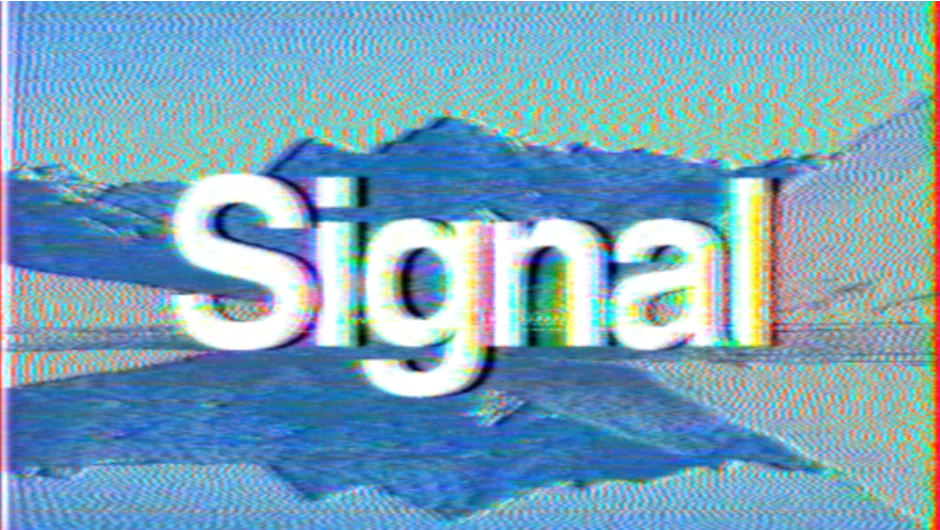
What It Does
Signal recreates analog television transmission technology inside After Effects and Premiere Pro. Instead of faking the look with overlays, it encodes video information using a modulated analog video signal (a combination of luminance and chrominance), then decodes it back into a color image. This approach produces authentic analog glitches that match real VHS and broadcast artifacts.
Works in both After Effects and Premiere Pro.
Key Features
Authentic signal emulation. The plugin models how analog video actually works, encoding and decoding signals the way real television hardware did. This creates glitches that look like they came from a degraded videotape or bad broadcast connection.
Multiple degradation controls. You can degrade any part of the signal separately, creating anything from subtle tape warble to severe corruption. Several types of noise are available.
TV bend distortion. Authentic horizontal distortion matching the way analog TVs would bend the image when the signal was weak or the tape tracking was off.
Old videotape aesthetics. Captures the specific look of worn VHS tapes, including head switching lines in the overscan area and the particular glow and shake of analog playback.
Who It’s For
Motion designers and video artists creating retro content, horror effects, or any project that needs authentic analog degradation. Reviewers have noted it’s the closest thing to running footage through a real VHS deck without actually doing that.
Useful when period-accurate glitches matter. Generic VHS plugins use overlays and distortion, Signal actually models the signal processing.
Pricing
Pay what you want. The suggested price is $39.99, but you can set your own amount. Also available as part of the Zaebects Bundle (Signal, Physarum, and Modulation 2) for $99.99, saving 23%.
License options include single user, floating server, and render-only licenses. Free trial available.