
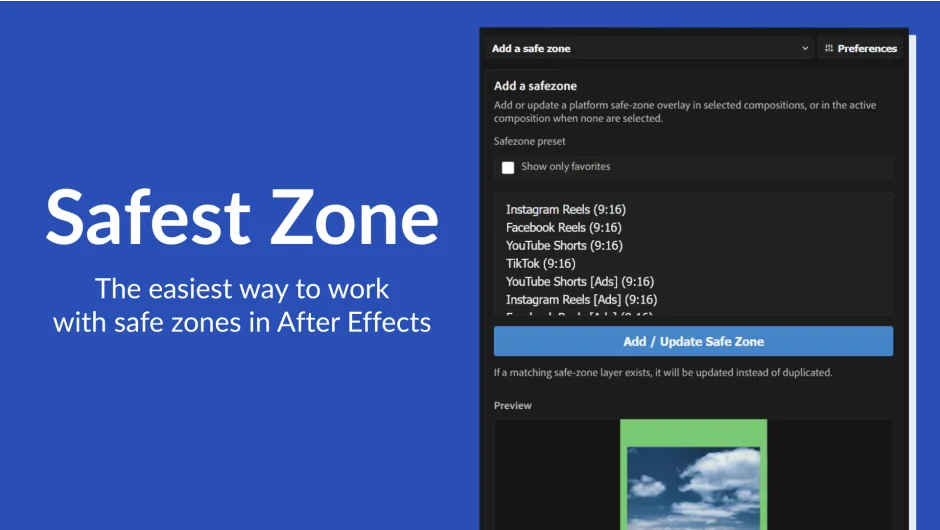
What It Does
Safest Zone adds safe zone guides directly inside After Effects, keeping platform boundaries visible while you design and animate. Instead of eyeballing margins or manually drawing guide layers, you pick a preset, preview it, and apply it to your composition. It covers social media platforms, advertising formats, and any custom spec a client throws at you.
Key Features
Built-in platform presets. Common social deliverables, including vertical video, square formats, and standard ad sizes, are ready to apply immediately without any manual setup.
Custom reusable presets. Draw a shape layer to match a client-specific safe zone, turn it into a preset, and reuse it across future projects. Useful for brand templates or unusual placements that don’t match any standard platform spec.
Comp variant generation. Duplicate a composition into multiple safe-zone versions in a few clicks. Each copy gets its own layout applied automatically, which saves time when preparing a full suite of social deliverables from a single master.
Bulk style updates. Adjust color, opacity, guide-layer status, and lock state across multiple compositions at once. No need to hunt through layers individually when a spec changes mid-project.
Who It’s For
Motion designers working on social campaigns, ad deliverables, or multi-format projects will get the most out of this. If you regularly hand off work that needs to hit specific platform margins or client-defined safe areas, having those boundaries visible and consistent during production reduces the risk of last-minute fixes.
Pricing
Safest Zone is a one-time purchase priced at $19.00, with a free trial available. A promotional discount may be active on the aescripts store at time of purchase.