
What It Does
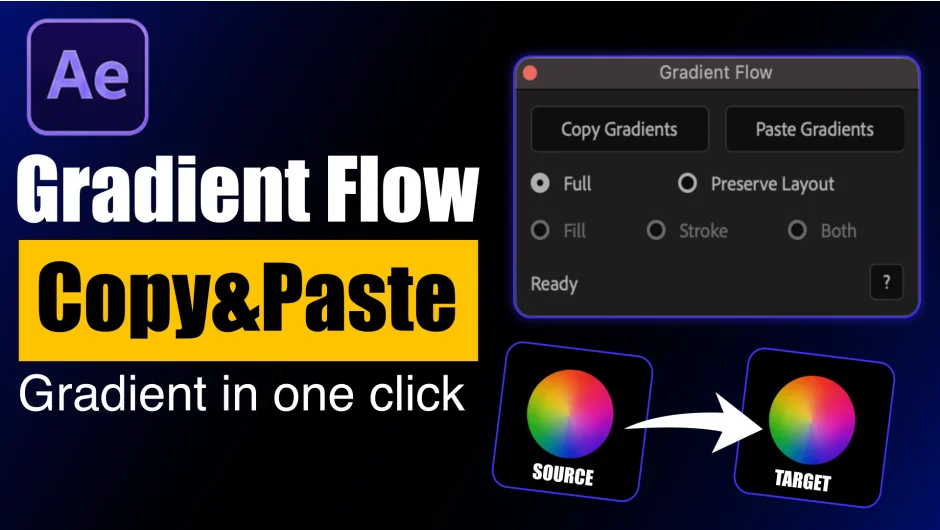
Gradient Flow is an After Effects extension that copies gradients from one layer and pastes them onto one or many target layers in a single click. It works with both shape layers and solid layers, removing the need to manually recreate or match gradients during production.
Key Features
Copy and paste gradients instantly. Select a source layer, hit Copy Gradient, select your targets, and paste. The whole operation takes seconds regardless of how many layers you’re updating.
Multi-layer paste. Select several layers at once before pasting. Useful when you need to apply a consistent gradient across a set of shapes or UI elements in one go.
Fill, Stroke, or Both. Choose which part of the layer receives the pasted gradient. You can update just the fill, just the stroke, or both at the same time.
Full Mode vs. Preserve Layout Mode. Full Mode transfers the gradient exactly as it appears on the source, including colors, positions, angle, and scale. Preserve Layout Mode applies only the colors from the source while keeping the target layer’s existing gradient structure intact. This is handy when your layers have unique gradient shapes you want to keep but need color consistency across the project.
Who It’s For
Motion designers working on branding projects, UI animations, or social content will find this useful whenever a color palette needs to carry across multiple elements. It also saves time during client revisions when a gradient needs updating across an entire composition.
Pricing
Gradient Flow is a one-time purchase at $12.99. A free trial is available on the aescripts product page.