
What It Does
System Monitor Pro adds a dockable hardware monitoring panel directly inside After Effects, so you can track RAM, CPU, and GPU stats without alt-tabbing to Task Manager or third-party monitors. It runs on Windows only and requires an NVIDIA GPU for GPU-related metrics.
Key Features
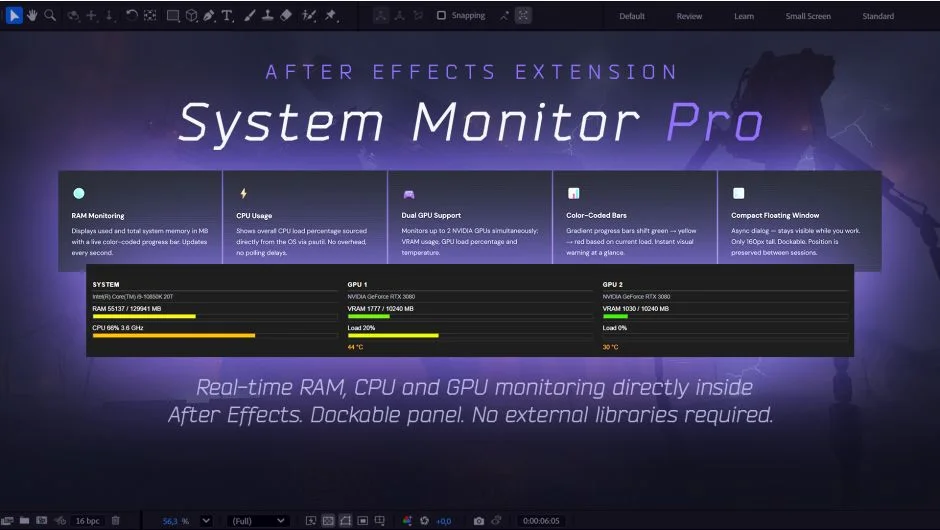
RAM Monitoring. Shows used and total memory in MB with a color-coded progress bar that updates every second. Useful for catching memory pressure before After Effects starts dropping frames or crashing.
CPU Usage and Clock Speed. Displays load percentage and current clock speed, updating every 500ms. A CPU info header at the top shows your processor model name and thread count, read once at startup.
Multi-GPU Support. Detects all NVIDIA GPUs automatically and creates one column per card. Shows VRAM used vs. total, GPU utilization percentage, and current temperature per card. No additional software needed; it reads data through nvidia-smi, which ships with standard NVIDIA drivers.
Responsive Layout. Columns wrap vertically when the panel is narrow, so it fits whether you dock it as a thin sidebar or a wider panel.
Dockable Panel. Saves its position in the After Effects interface between sessions.
Who It’s For
Motion designers and compositors working on memory-intensive projects who want a live hardware readout without leaving AE. Particularly useful if you run multi-GPU setups for rendering and want to see per-card VRAM and temperature at a glance. Note that GPU monitoring requires an NVIDIA card, and the panel does not run on macOS.
Pricing
Single one-time purchase at $25.00. A 10-day free trial with full functionality is available before buying.