
What It Does
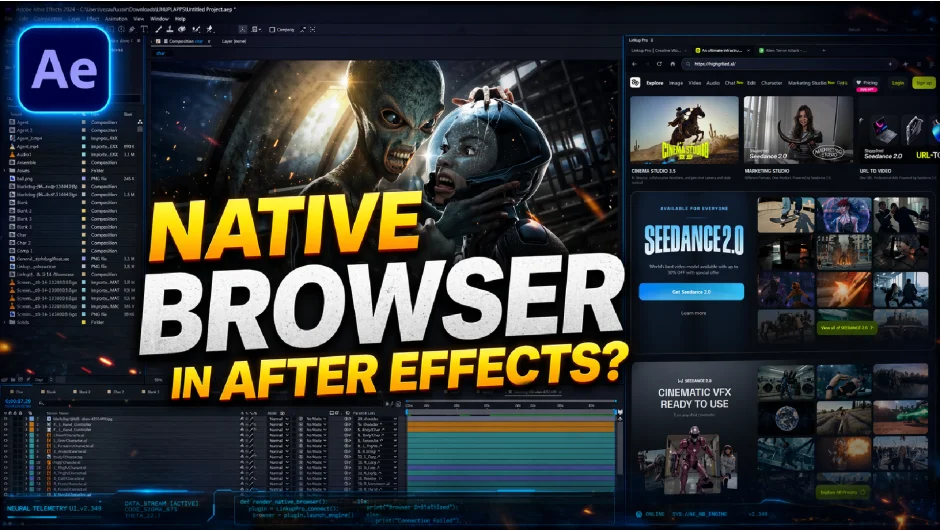
Linkup Pro is a native C++ plugin that puts three distinct tools inside a single After Effects panel: a full web browser, an AI chat interface, and an autonomous AI Agent. The goal is to eliminate the constant context-switching that happens when you need reference images, expression help, or asset downloads mid-project.
Built on Adobe’s Plugin SDK rather than the older CEP (HTML/JS) extension framework, it runs as a true native plugin with direct access to the After Effects project structure.
Key Features
Full native browser. On Windows, it runs Chromium (the same engine behind Edge). On Mac, it uses WebKit (Safari’s engine). Every site loads fully, including ones that break inside limited web views. You can right-click on images or assets and download them directly to your timeline, upload files from the Project panel, take screenshots that auto-import as reference layers, and use standard browser shortcuts like Cmd+R, Cmd+L, and Cmd+T.
AI assistant (Ask tab). Connect ChatGPT, Claude, Gemini, DeepSeek, Grok, or any OpenRouter model using your own API key. Save frequently used prompts as one-click shortcuts, generate expressions on demand, and run scripts directly from the clipboard without leaving the panel. Useful for quickly writing a loopOut expression, generating a wiggle variant, or asking how to link two layer properties.
AI Agent. The Agent panel goes further than the chat interface. It reads your composition’s layers, keyframes, and applied effects, then executes tasks directly in the project. You can describe a rig, a background build, or a HUD layout in plain language and the Agent works through it step by step. It uses an agentic loop with a real-time status display showing each stage: context, analysis, generation, and execution. Powered by OpenRouter, so free models are available alongside paid ones.
BYOK architecture. You bring your own API keys for whichever AI provider you prefer. Google Gemini includes a free tier, and OpenRouter provides access to hundreds of models. Your data stays with the provider you choose.
Auto-Expression Healing. A background monitor watches for ExtendScript errors and attempts to fix expression syntax issues automatically, which can save time when the Agent generates expressions that need minor corrections.
Snippet Management. Store and organize private JSX automation scripts and project notes in a built-in library for quick reuse across projects.
Who It’s For
Motion designers who frequently look up reference, pull stock assets, or ask AI tools for expression help will get the most out of this. The browser alone is worth it if you spend time dragging images from Chrome into AE. The Agent is aimed at more technically inclined users comfortable describing tasks in natural language and reviewing what the AI executes. Anyone building complex rigs, HUDs, or data-driven animations may find the Agent’s project-reading capability genuinely time-saving.
It supports After Effects 2022 through 2026 on both Windows and macOS, including Apple Silicon.
Pricing
Linkup Pro is a one-time purchase at $39 for a single-user license, available via aescripts.com. A 30-day free trial is available before buying. Existing Linkup customers qualify for upgrade pricing: free if purchased within the last 90 days, or 50% off otherwise.