
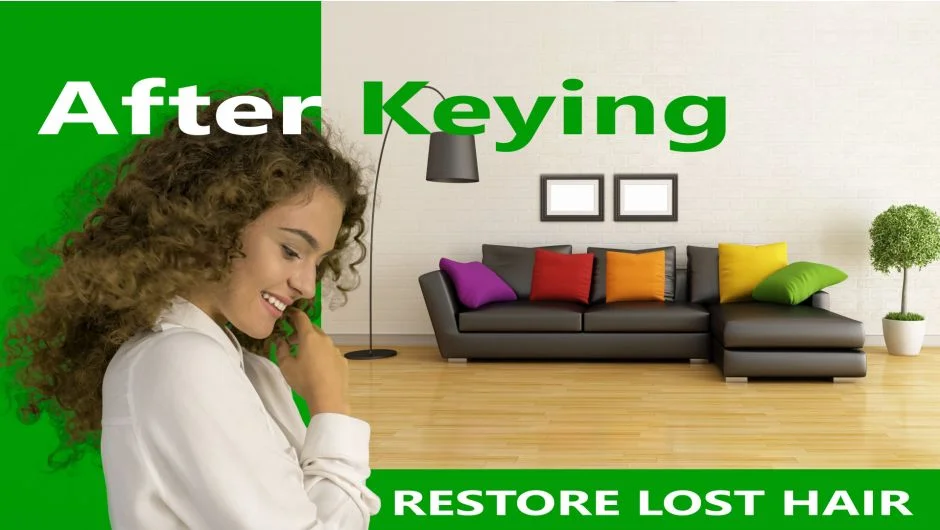
What It Does
After Keying tackles two persistent problems in green screen work: recovering detail lost during keying and making composited elements feel like they belong in their new environment.
The plugin offers two main tools. Refine Details recovers hair, fur, and other fine edges that often get mangled or erased during the keying process. Atmosphere adds environmental haze, light wrap, and depth cues in a single operation, helping composited subjects feel present in their new background rather than pasted on top of it.
Key Features
Refine Details. Restores hair and fine edge information after keying. Instead of manual masking or layering multiple keys, this tool recovers detail from the original footage. Useful for hair, fur, lace, or any semi-transparent edge where standard keyers lose structure.
Atmosphere. Adds environmental integration with one click. Simulates the atmospheric scattering and color bleed that naturally occurs between foreground and background elements. Helps subjects feel grounded in scenes with fog, haze, or depth.
The plugin works alongside your existing keyer (like Keylight or Primatte), not as a replacement. You key first, then use After Keying to refine the result.
Who It’s For
Anyone doing frequent green screen work where edge quality and integration matter: music videos, narrative work, product shots, broadcast graphics. Particularly valuable when dealing with backlit hair, wispy textures, or scenes that need atmospheric depth rather than flat composites.
Pricing
Paid plugin at $50 (currently on sale from a regular $65, valid through March 14, 2026). Single-user and floating server licenses available. A trial version is offered for testing.