
What It Does
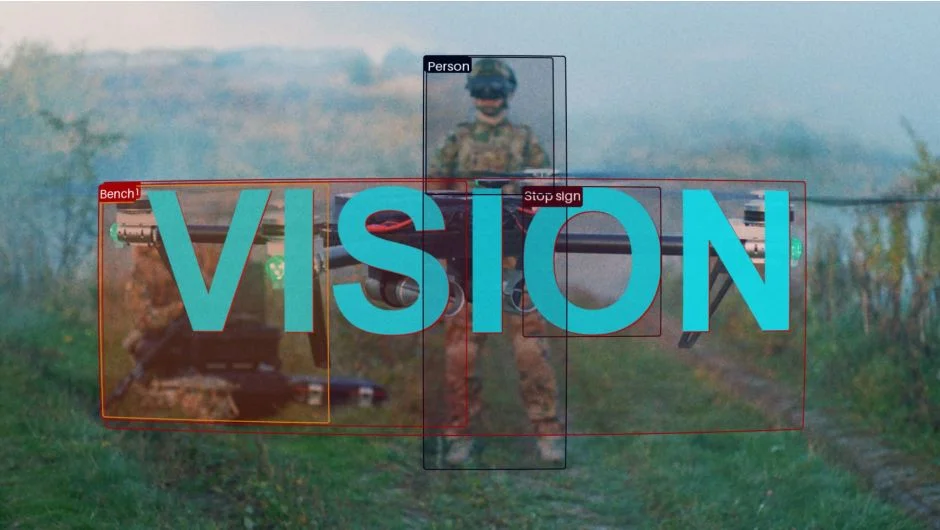
Vision uses AI object detection to identify subjects in your footage and apply stylized effects that mimic surveillance or machine vision aesthetics. The plugin generates bounding boxes, tracking overlays, and mattes based on what the AI sees, giving you the look of security camera feeds, dystopian interfaces, or glitchy digital artifacts.
Key Features
AI object detection. Vision runs vision models directly in After Effects to identify and track objects in your footage. The plugin outputs visual overlays showing what the AI detects, complete with bounding boxes and identification tags.
Customizable detection visuals. Adjust the appearance of the AI detection overlay, controlling colors, line weights, and label styles. Tune the sensitivity to show more or fewer detected objects depending on your scene.
Matte output for creative compositing. Set Vision’s output to generate a matte based on detected objects. Use this matte to drive displacement effects, color corrections, or glitch animations that align precisely with the subjects in your footage. Combine with effects like Channel Blur or Displacement Map for glitchy visuals that intelligently follow movement.
Temporal consistency. The detection tracks across frames, maintaining consistent identification of objects as they move through the scene. This makes the effect usable for motion footage, not just static frames.
Who It’s For
Motion designers creating sci-fi interfaces, surveillance aesthetics, or tech-themed visuals. VFX artists building dystopian or cyberpunk scenes. Anyone looking to add AI-driven glitch effects that react to specific subjects rather than applying generically across the frame.
Useful for music videos, title sequences, HUD overlays, or any project where you want the visual style of machine vision analysis.
Pricing
Vision costs $99.99 for a single-user license (usable on up to two computers if not simultaneous). Trial version available for testing before purchase.