
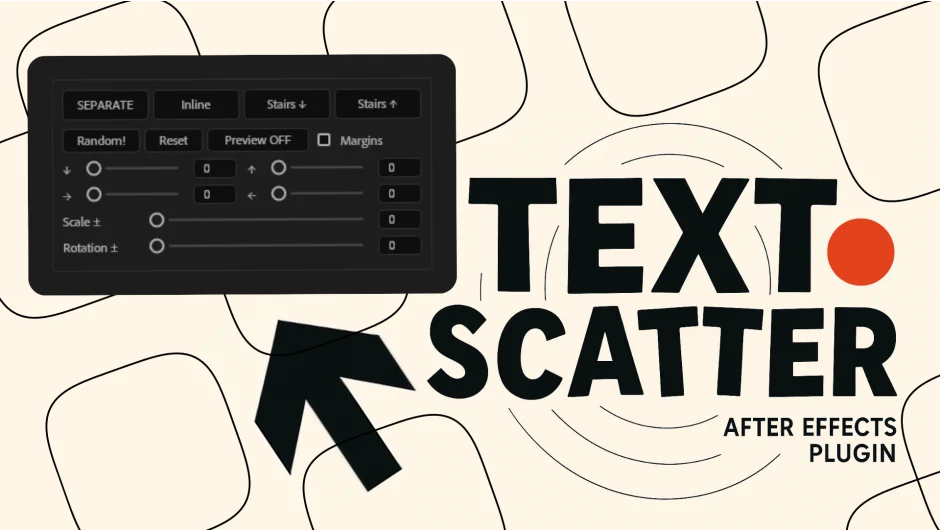
What It Does
Text Scatter splits text layers into individual words or characters, then lets you randomize their positions or organize them into layout patterns. Select a text layer, click Separate, and each word becomes its own editable layer. Click Random to shuffle the order instantly, or switch between layout modes (Inline, Stairs Up, Stairs Down) to arrange the text in different patterns.
The red limit box gives you a real-time visual boundary for your composition area. A Reset button undoes changes if you need to start over. No keyframes or expression writing required.
Key Features
Separate function. Converts any text layer into individual word or character layers. Note that this splits the text but does not preserve exact pixel-perfect positioning, it reorganizes the elements into new layouts.
Random ordering. One-click shuffle rearranges all separated layers into a random sequence. Useful for kinetic text effects or scattered title animations.
Three layout modes. Inline arranges text horizontally in sequence. Stairs Up and Stairs Down create stepped patterns. Switch between them instantly to explore different arrangements.
Visual composition control. The red limit box shows your composition boundaries in real time while you work, helping you keep text elements within frame.
Non-destructive workflow. The Reset button restores your original text layer and layout, letting you test multiple arrangements without losing your starting point.
Works with any font or language. Requires After Effects 2025 or later.
Who It’s For
Motion designers working on title sequences, editors building dynamic text layouts for social media, or anyone who needs to quickly break apart and rearrange text for animation. Saves time compared to manually duplicating and positioning text layers.
Pricing
Single-user license costs $14.76. A free trial is available to test the tool before purchasing.