
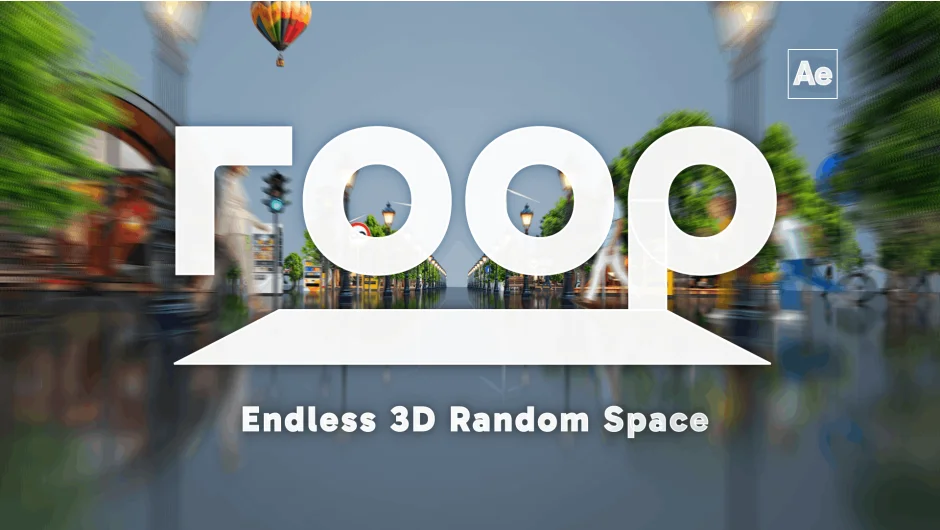
What It Does
roop is a script for After Effects that builds looping, randomized 3D environments from your existing layers. Select your layers, click once, and roop constructs a fully looping 3D space with backgrounds, vignettes, and optional floor reflections automatically generated. It’s designed for situations where you need an infinite-feeling 3D backdrop without manually setting up dozens of layers and expressions.
The core mechanic is a smart loop system that tiles layers in 3D space while minimizing rendering overhead. Rather than duplicating geometry or relying on heavy pre-renders, roop uses a looping architecture that keeps compositions lean.
Key Features
Five loop patterns. roop supports Space, Floor, Ceiling, Left Wall, and Right Wall loop types, which can be combined freely. You can set up a Space + Floor environment, a tunnel-style corridor with left and right walls, or a full enclosure, depending on what the project needs.
1-Click All-in-One Setup. Selecting your layers and hitting the main button generates the entire environment: the loop, background, and vignette layers. Floor reflections can be applied instantly with controls for blur, opacity, and brightness.
Avoid Layers. A distinctive feature that clears a linear tunnel around a target layer. Useful when you want your subject isolated in 3D space with elements arranged around it rather than scattered randomly through the frame.
Camera Tools. A dedicated set of buttons handles camera viewpoint movement, adding Z, Y, or X axis moves and shake directly from the panel. Preset views jump the camera to floor, ceiling, or wall perspectives instantly.
20+ animation parameters per composition. Each composition gets its own set of controls: display range, fade distances, pan and switch fade modes, loop direction, random mode, scale variation, seed offset, and wall/floor offsets. This lets you dial in very specific behaviors per scene.
Nearly 40 global script settings. Tabs cover general display, layer creation defaults, camera tool behavior, surface layer colors, and reflection settings. You can set defaults that match your production pipeline so the tool works consistently across projects.
Supported layer types include Shape, Text, Solid, Pre-composition, and Footage (still images and video). When reusing a roop-generated pre-comp, the script detects it and avoids redundant nesting.
Who It’s For
roop fits motion designers who regularly build 3D environments in After Effects, particularly for music videos, broadcast titles, or commercial spots where an infinite background or flythrough space is needed. It’s especially useful if you’re building multiple variations of a space quickly, since the randomization controls let you reseed layer positions individually or all at once. Designers who work in AE’s native 3D rather than Cinema 4D or Element 3D will get the most out of it.
Pricing
roop is a one-time purchase at $29.99 (regular price $39.99). A free trial is available on the aescripts product page. Compatible with After Effects 2025 and 2026.