
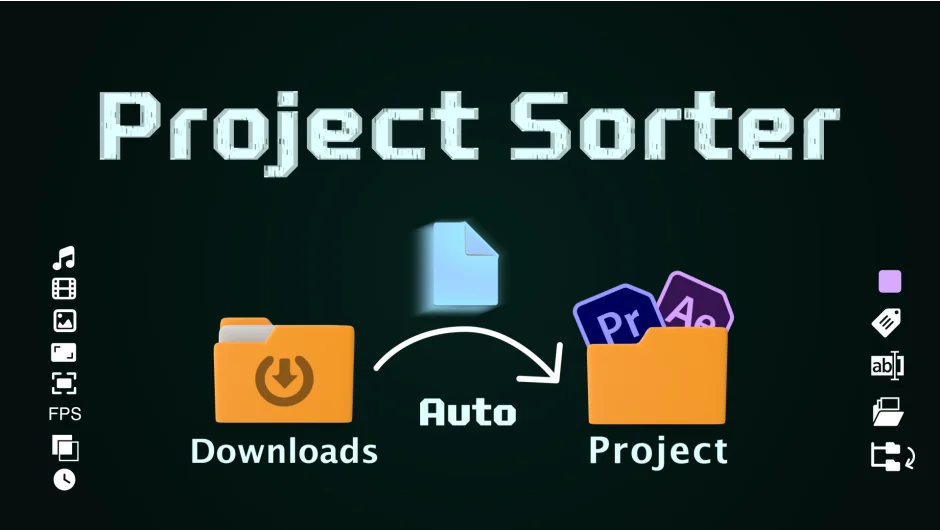
What It Does
Project Sorter watches your project bin and sorts assets the moment you import them. No manual dragging into folders or searching through hundreds of clips. Define filters based on media type, resolution, duration, file path, or any of 20+ sorting criteria, and the plugin automatically organizes everything.
It’s built for editors and motion designers who work with large volumes of assets. Drop a folder of mixed media into your project, and Project Sorter instantly routes footage to the right bins, applies labels, and even renames files according to your rules.
Key Features
Filter by 20+ criteria. Sort assets by media type (video, audio, stills, nested clips), duration, use count, file name, date created, date modified, resolution, file path, file extension, aspect ratio, frame rate, alpha channel, pixel aspect ratio, audio sample rate, and audio channel count.
Assign actions to sorted media. Once an asset matches a filter, the plugin can move it within the project bin, move the actual file on your computer’s file system, rename it, assign a label color, add a comment, or update metadata fields.
Mirror filter structures to folders. Version 1.6.0 added the ability to replicate your filter setup as actual folder structures, either in your project bin or on disk. This makes it easier to hand off organized projects or archive them.
“Star” filters for multi-pass sorting. Mark specific filters as starred, and the plugin will continue checking other rules even after a match. This lets you apply multiple actions to the same asset (like labeling it and moving it).
OR conditions and wildcards. Use “OR” logic to match assets that meet any of several conditions. Wildcards like {index}, {Date Created}, {Parent Folder}, and {Project Name} let you build dynamic renaming schemes.
Disable auto-sorting when needed. If you have multiple projects open and don’t want the plugin sorting everything at once, right-click the link icon to disable auto-sorting temporarily.
Delete empty folders. After sorting, the plugin can clean up any folders that no longer contain assets.
RegEx support for names. Match file or project names using regular expressions for precise control over what gets sorted.
Who It’s For
Project Sorter is useful for editors who ingest hundreds of clips per project, whether from multiple cameras, stock libraries, or client deliverables. It’s also valuable for motion designers working with large After Effects projects full of precomps, solids, and imported assets.
If you’re tired of manually organizing bins or you collaborate with teams that need consistent project structures, this plugin enforces your sorting rules automatically.
Pricing
$49.99 for a single-user license (one-time purchase). Upgrade pricing is available for previous buyers who log in. Multi-plugin discounts (10% off when buying two or more plugins) apply, excluding multi-user licenses and upgrades.
