
What It Does
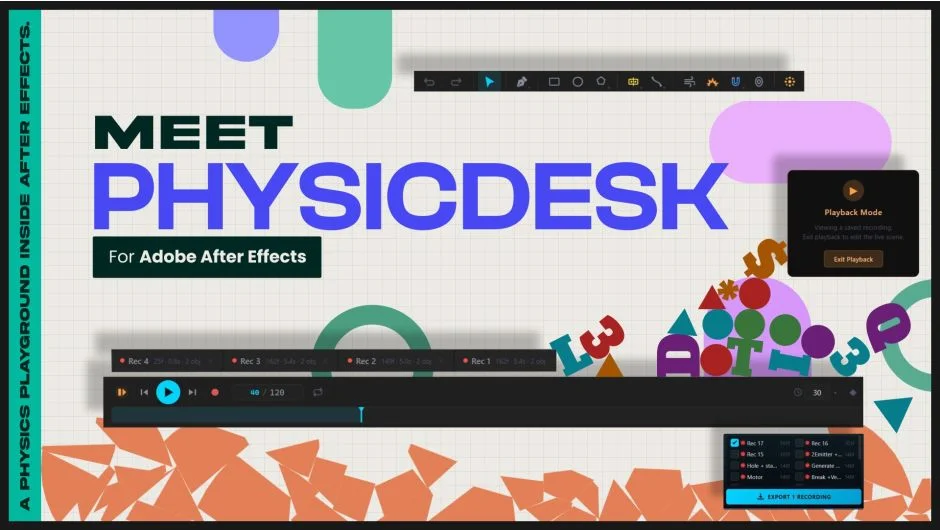
PhysicDesk is a real-time 2D physics workspace that runs as a panel inside After Effects. You build a scene, simulate it live, and when the motion looks right, export it as native After Effects keyframes or expression-driven motion. No external renderer, no round-tripping to another application.
The core loop is simulate, record, bake. Every result lands on your timeline as editable keyframes, ready to refine or composite like any other animation.
Key Features
Physics modes. Each shape gets its own behaviour: Dynamic (falls, collides, reacts), Static (fixed but solid), Motor (continuous powered motion with oscillate, rotate, pendulum, or orbit patterns), Soft Body (deformable, jelly-like), Elastic (spring-anchored), Path Follow (travels a defined path), Sleeping (waits for a collision to wake up), and Dead (excluded from simulation, useful as an emitter source).
Joint system. Connect bodies with Pin, Weld, Pivot (with angle limits), Spring, Piston, and Wheel joints. Combined with rope and chain, this is enough to build working mechanisms and vehicles.
Force zones. Add Wind, Magnets, Portals, and Explosions to the scene. Portals support two-way travel and can be parented to moving objects. Explosions have adjustable radius, strength, delay, and repeat for timed blast sequences.
Destruction. Shapes can be set as Breakable or Shatter, fracturing on impact. Useful for title reveals, logo breaks, or any animation that needs objects to fall apart convincingly.
Particle emitter. Emit from a point, line, circle, or rectangle using built-in shapes, custom paths, individual letters, or full text strings. Lifetime, fade, color, and collision groups are all controllable.
Sound-driven physics. Bind shape or emitter properties directly to Bass, Lo-Mid, Mid, or Treble frequency bands from a live audio track. The Live Spectrum shows the mapping in real time.
Import from your comp. Bring in shapes, text (down to single characters), images, and masks from the current composition. Layers with existing keyframes can be imported and kept in sync, with options for what happens after the keyframes end: Dynamic, Dynamic + Velocity, Loop, Ping Pong, or Static. Animated nulls can be imported as moving Emitters or Magnets.
Record Pool. Every simulation take is saved as a thumbnail. Switch between takes instantly, compare results, and keep as many as you need before committing.
Bake to keyframes. Export in Mode A (native Position and Rotation keyframes per layer) or Mode B (expression-driven, easier to retime the whole animation at once). Every exported layer includes an Offset slider for shifting all keyframes together without manually selecting and dragging.
Workflow tools. Batch-edit multiple shapes at once, scatter random property values across a selection, merge shapes into a single body, bind shapes into a connected group, and populate scenes using Random, Grid, or Pattern generators. Auto-Save and scene snapshots keep work safe.
Who It’s For
PhysicDesk suits motion designers who want physics-based animation without leaving After Effects. Useful for kinetic typography where letters pile up or scatter, logo animations with breaking or bouncing elements, explainer video scenes with falling objects, audio-reactive motion graphics, and anything involving rope, chains, or mechanical linkages. Because everything bakes to standard keyframes, the result fits cleanly into any existing After Effects project.
Compatible with After Effects 2022 through 2026 on Windows and macOS, in any language version.
Pricing
PhysicDesk is a one-time purchase at $249.99 for a single-user license. A floating server license is also available. A free trial can be downloaded from the product page.