
What It Does
Magnum analyzes video footage to detect scene changes and edits, then automates the tedious work of splitting them into usable pieces. Point it at a multi-scene clip, and it identifies every cut using a visual change detection engine. From there, you decide how to handle those edits: split into separate layers, trim and pre-comp each scene, create adjustment layers for each cut, or export a thumbnail for every detected moment. Useful for editors working with long interviews, b-roll reels, or any situation where you need to break down raw footage into individual clips.
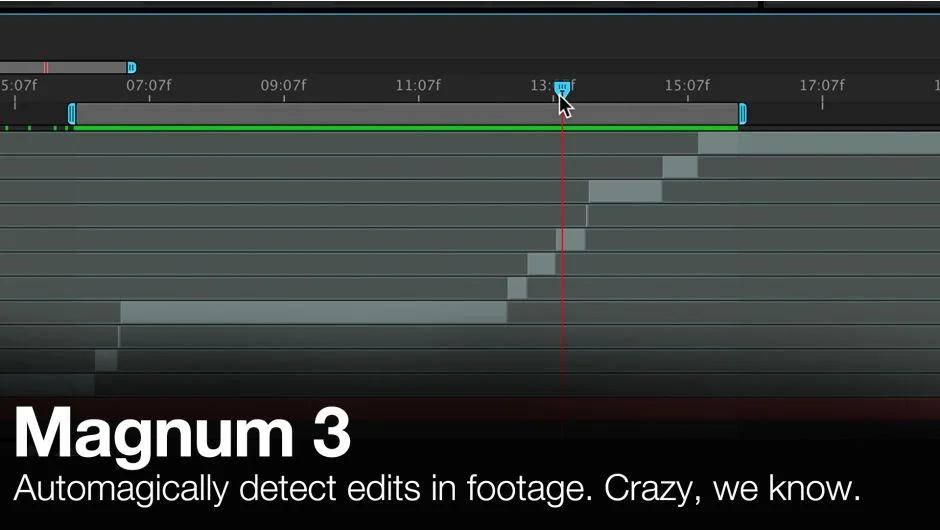
The plugin includes a detection analysis graph that shows exactly where changes occur in your footage, letting you set the threshold visually instead of guessing. A search range feature compensates for dissolves, and you can set minimum scene lengths to avoid false positives from quick camera pans or strobing effects.
Key Features
Detection Analysis Graph. Shows a visual representation of changes in your footage over time. Any spike above your threshold setting counts as a cut. Adjust the threshold by dragging a line until it catches the edits you want and ignores the ones you don’t.
Split Modes. After detection, choose how to organize the results. Split into new layers creates individual layers for each scene. Trimmed pre-comps generates a separate composition for each cut, sized to match the scene length. Full-length pre-comps does the same but keeps the original comp duration. You can also place markers at every cut or create trimmed adjustment layers for color work.
Thumbnail Export. Exports a still frame from every detected scene, optionally with a spreadsheet listing all scene data. Add a text layer named “slate” to your comp and it burns in as an overlay on each thumbnail. Customizable naming uses keywords like [layerName], [compName], [clip#], or [sceneColor] to organize output files.
Scene Color Detection. Calculates the average color of each scene and adds it as a hex value to the layer name or export data. The rounded scene color feature helps identify similar shots by grouping them by dominant color.
Search Range for Dissolves. Tells Magnum how many frames to check when a change happens gradually instead of cutting hard. Prevents missed edits when footage uses dissolves or soft transitions.
Who It’s For
Built for editors handling interviews, documentary footage, or any project where you import long clips that need to be broken into scenes. Also useful for archiving projects since the thumbnail export creates a visual index of every shot.
Pricing
Pay what you want pricing. The standard price is $39.99. Previous Magnum v2 license holders qualify for a $30 upgrade price (login required). A trial version is available. This is a one-time purchase, not a subscription.
Known limitation: DPX image sequences sometimes fail to detect edits. Convert to another format before processing if you encounter this issue.
