
What It Does
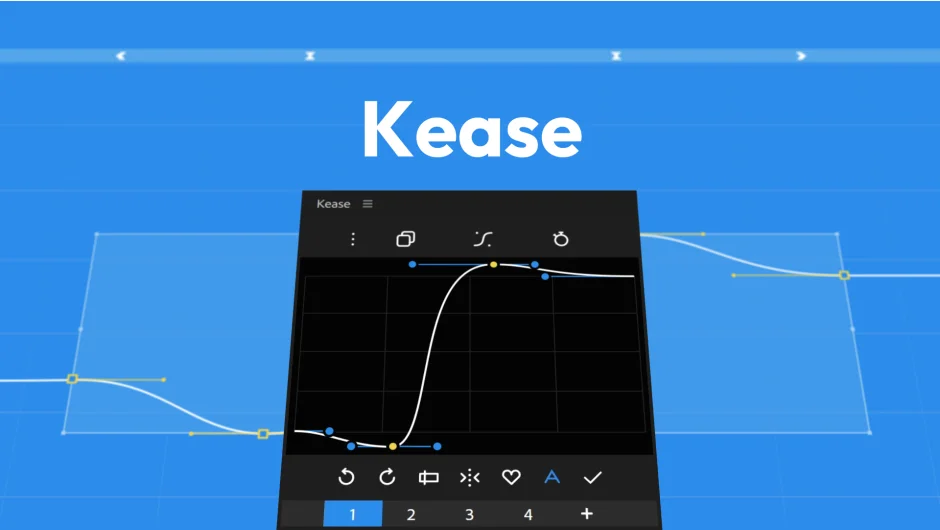
Kease is an easing tool for After Effects by Davide Boscolo. It adds a dedicated panel for applying, editing, and saving easing curves to your keyframes. The main draw is support for multi-keyframe easing, which goes beyond what After Effects offers natively with two-handle Bézier curves.
With standard After Effects easing, achieving motions like bounce, overshoot, or elastic snapping requires manually stacking multiple keyframes and curves. Kease treats those complex motions as a single reusable preset that can be applied across your timeline in one click.
Key Features
Multi-keyframe Easing Curves. Rather than being limited to a two-handle Bézier affecting two keyframes, Kease lets you define and save curves that span several keyframes. When you apply one, Kease automatically generates the necessary in-between keyframes and handles, even if the timing or spacing of your destination keyframes differs from the source. This makes bounce, anticipation, overshoot, and elastic motions straightforward to reuse.
Preset Library. The Pro version gives you an unlimited, organized library of both Simple and Multi-keyframe presets. Presets can be grouped, color-coded, labeled, and reordered via drag-and-drop. The Free version includes a fixed set of 12 Simple easing presets.
Built-in Graph Editor. A dedicated graph editor lets you visualize and adjust curves directly in the panel. You can mirror handles, add and remove control points, save new curves as presets, and copy curves across keyframe selections. It supports both Simple and Multi-keyframe curves.
Copy and Paste Easing. Transfer easing from one set of keyframes to another. With the graph editor, you can also copy Multi-keyframe curves and paste them onto a different keyframe selection, with Kease intelligently rebuilding the in-betweens to match the new timing.
Modifier Key Targeting. Hold a modifier key while applying a preset or pasting a curve to target only the incoming, middle, or outgoing portion of your keyframe selection. Useful when you want to add an overshoot to just the end of a move without affecting the lead-in.
Customizable Interface. Panel size and layout are adjustable, which matters when you’re working on a single monitor.
Who It’s For
Motion designers who spend time manually tweaking the graph editor to get bouncy or elastic motion will find the multi-keyframe preset system saves real time. It’s also a practical tool for character animators who need consistent, reusable motion feels across a project. The free tier covers basic easing workflows, while the Pro version is aimed at anyone who works with more expressive, complex animation.
Pricing
- Free version includes a customizable UI, keyboard shortcuts, copy/paste easing and values, and a fixed library of 12 Simple easing presets with Simple Curve graph editor support.
- Pro version ($40, one-time license) unlocks unlimited Simple and Multi-keyframe presets, full graph editor with save functionality, and import/export of preset libraries.
A trial license activates all Pro features for a limited period before automatically reverting to the Free version.