
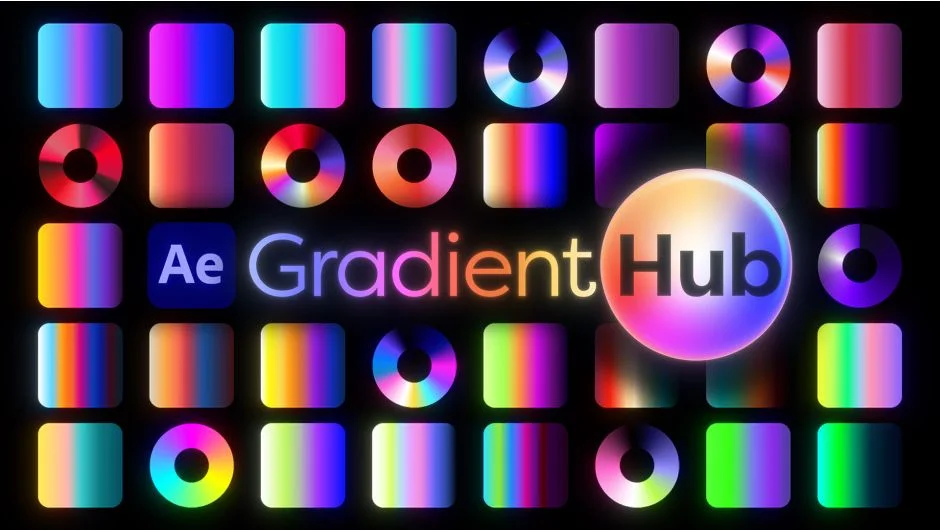
What It Does
GradientHub is a panel for After Effects that centralizes gradient management across multiple effect types. Instead of manually entering color stops in Colorama or digging through shape layer properties, you browse visual thumbnails and apply gradients with a double-click. It targets four destinations: Colorama, Color Shift (the Haligonian plugin), Shape Layers, and Layer Styles (Gradient Overlay, Outer Glow, Inner Glow).
A preset saved from any one of those targets can be applied to any other. A gradient pulled from a client’s SVG logo can go straight onto a Colorama effect, no manual color picking required.
Key Features
500+ built-in presets. The library ships with over 500 curated gradients organized into browsable categories. Thumbnails can be toggled between color wheel and linear gradient views.
Import from GRD, CSS, and SVG. Drop a Photoshop .grd file, a CSS stylesheet, or an SVG from Illustrator, Figma, or Sketch into the GradientHub user presets folder and every gradient in the file becomes its own preset. Thumbnails generate automatically. This makes it straightforward to match a client’s brand gradient exactly as defined in their design assets.
User presets with folder organization. Save your own gradients as .ffx files and organize them into subcategories using subfolders. Up to two levels of nesting are supported. Custom thumbnail images (PNG or JPG) can be paired with preset files if you prefer something more descriptive than the auto-generated gradient strip.
Effect-specific controls. Each target mode has relevant options. In Colorama and Color Shift modes, you can choose whether to update an existing effect or add a new one, preserving any other parameters you’ve already set. In Shape Layer mode, Fills/Strokes filters let you narrow which gradient properties get updated when you have a broad selection.
Cross-format application. Regardless of where a preset originated, it can be applied to any of the four supported targets. A gradient saved from a Shape Layer gradient fill can be applied directly to a Colorama effect without any conversion step.
Who It’s For
Motion designers who work with branded content will get the most immediate use from the SVG and CSS import features, since client gradient assets can be loaded directly without manual re-entry. Anyone who uses Colorama frequently will appreciate the visual preset browser as a replacement for the default cycle editor. The Shape Layer and Layer Style modes extend the tool’s reach to general design work in After Effects.
The free trial is limited to the Colorama built-in presets and the first seven presets in each other category, which is enough to evaluate the core workflow.
Pricing
GradientHub is sold on aescripts.com with a pay-what-you-want model. The suggested price is $35 for a single-user license. Owners of the previous Colorama Browser plugin receive a free upgrade. A free trial with limited preset access is available before purchase.