
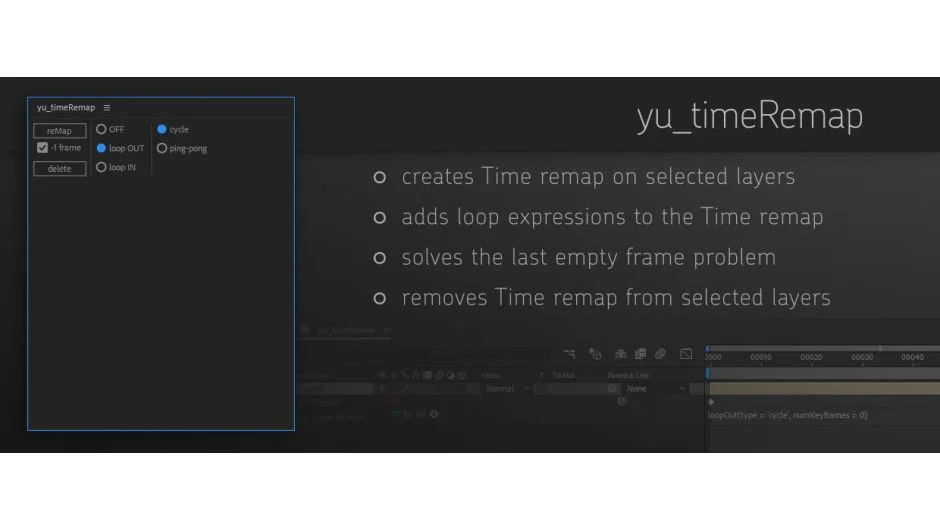
What It Does
yu_timeRemap handles the repetitive parts of time remapping in After Effects. It creates time remap on single or multiple layers at once, adds loop expressions automatically, and solves the “last empty frame” problem that happens with standard time remapping. It can also remove time remap from selected layers when you need to start over.
Key Features
Batch time remapping. Apply time remap to multiple selected layers simultaneously instead of doing them one by one.
Four loop expression presets. Choose from four versions of loop expressions and apply them directly to your time remap property. No need to write or copy-paste expressions manually.
Last frame correction. Automatically reduces time remap by the last frame to eliminate the empty frame that appears at the end of standard time remapping. This is a common frustration when looping footage.
Easy cleanup. Remove time remap from all selected layers with one click.
Who It’s For
Useful for motion designers who work with looping footage, repeating animations, or need to retime multiple layers as part of their workflow. If you find yourself applying the same time remap settings repeatedly, this script saves time.
Pricing
yu_timeRemap uses pay-what-you-want pricing with a suggested minimum of $5.00. Individual users can pay any amount they choose. Businesses and teams are expected to pay the suggested amount for a valid license. This is a one-time purchase, not a subscription.

