
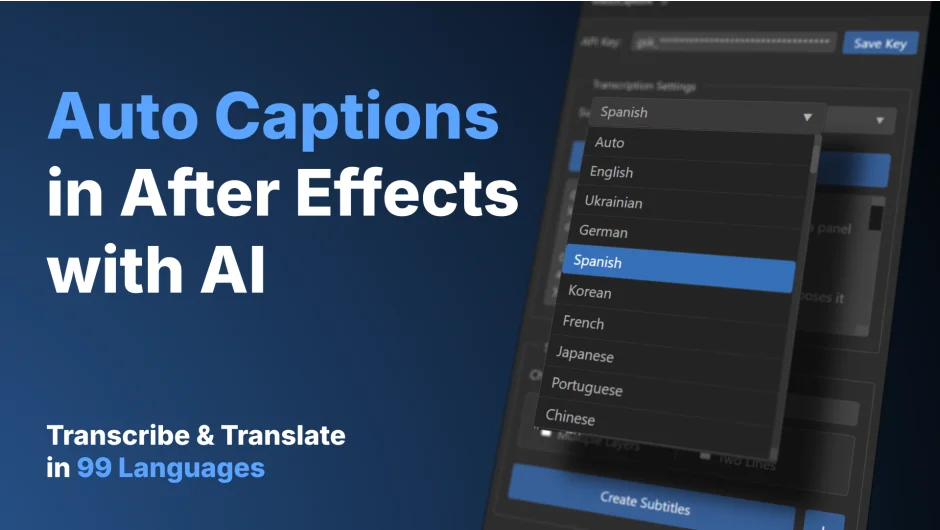
What It Does
Voice2Captions transcribes audio into text layers inside After Effects using Whisper AI (via Groq or OpenAI). It detects or lets you specify any of 99+ languages, chunks text into readable subtitle lines, and exports SRT files for external use. It’s built for editors who need to subtitle dialogue, interviews, or voiceover work without leaving After Effects.
Key Features
Automatic transcription. Select an audio or video layer, click Transcribe, and Whisper AI generates the text. You can use the faster free Groq API or the paid OpenAI endpoint.
99+ language support. Auto-detect the spoken language or manually choose from over 99 options, including English, Spanish, French, German, Chinese, Japanese, Korean, Arabic, and Ukrainian.
Smart subtitle formatting. Set a character limit (1–100 per line) and choose one-line or two-line mode. The plugin wraps words intelligently so subtitles read naturally.
SRT export. Save subtitles as standard .srt files for use in other editors, broadcast systems, or platforms that require subtitle files.
Multi-layer transcription. Transcribe multiple audio layers at once. You can create a single layer with timeline markers or generate separate text layers for each subtitle chunk, useful when you want to animate or style individual lines.
How It Works
Get an API key from Groq (free) or OpenAI (paid), paste it into the Voice2Captions panel, and save it. Select an audio or video layer containing speech, pick your language, and click Transcribe Selected Layer(s). After processing, click Create Subtitles to generate text layers in your composition. You can adjust character limits and line mode in the settings before creating subtitles.
The plugin uses FFmpeg internally to convert audio, so you don’t need to export files manually. Note that transcription requires an internet connection and won’t work if you’re running a VPN or network proxy.
Who It’s For
Useful for editors who subtitle interviews, documentary footage, social media clips, or any project with dialogue. If you localize content, the 99-language support lets you transcribe and translate without switching tools. The SRT export also helps if you deliver subtitle files to clients or platforms.
Pricing
$19.98 for a single-user license. The plugin requires a Groq or OpenAI API key, which has its own cost structure (Groq is free with rate limits; OpenAI charges per usage).