
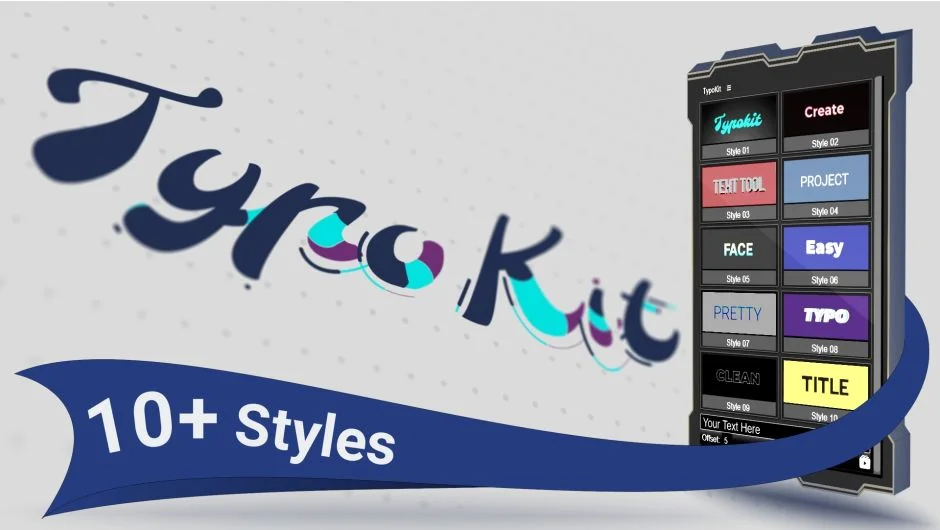
What It Does
TypoKit gives you instant access to animated typefaces inside After Effects. Instead of installing fonts and animating each letter manually, you select a style, type your text, and adjust the animation timing. The plugin includes alphabet, numbers, and symbols across 10+ distinct animation styles.
Each style comes with coordinated intro and outro animations. You control when the outro starts, making it simple to time title sequences without keyframe adjustments.
Key Features
No font installation. All typefaces live inside the plugin. You select a style, and the characters appear in your comp.
10+ animation styles. Each style treats letters as animated graphic elements, not static text. Styles range from minimal fades to elaborate write-on effects.
Intro/outro control. Every style includes both in and out animations. A single slider adjusts when the outro begins, so you can match your edit without re-timing keyframes.
Unlimited characters. Type as many letters as your title needs. No character limits or additional licenses.
Customization controls. Change colors, tracking, and font size through the panel. No need to dig into layer properties.
Universal expressions. Works in any language version of After Effects. Expressions adapt automatically.
Live preview. The interface updates as you type and adjust settings, so you see changes immediately.
Who It’s For
Useful for motion designers building social media graphics, lower thirds, or title cards where animated type is a recurring element. If you frequently need animated text and want to skip the setup phase, TypoKit lets you start with the animation already built.
Not a replacement for custom typography work, but a time-saver when you need quick, polished results from a consistent style library.
Pricing
TypoKit uses a pay-what-you-want model. You set your own price when purchasing, with a suggested price of $29. This gives you lifetime access to all current styles and updates.
Compatible with After Effects CC 2017 through 2026.