
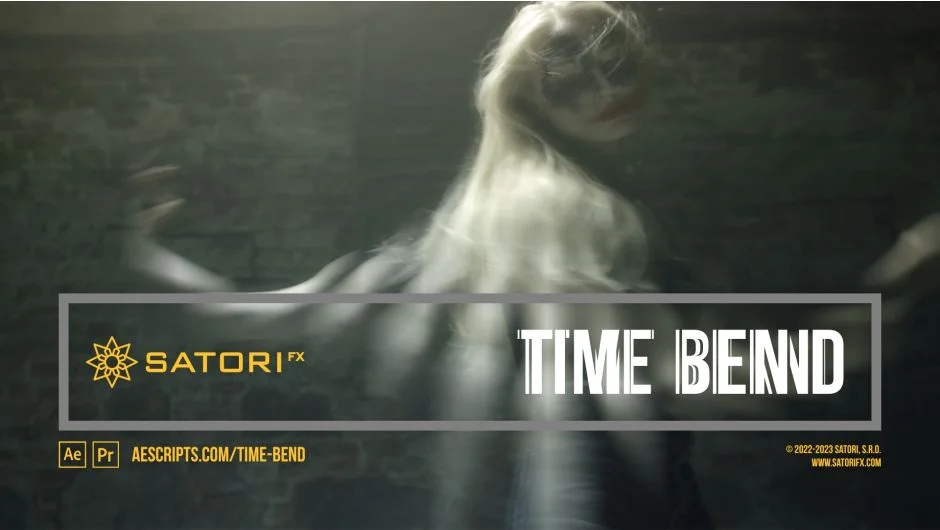
What It Does
Time Bend blends multiple frames from different points on the timeline to create time warp effects, smooth transitions, or seamless loops. Instead of working with single displaced frames like the built-in Time Displacement effect, Time Bend combines up to 256 frames with custom blending curves and mapping controls.
You control which frames get blended using a time mapping source (typically a gradient layer). Black pixels map to the first frame in your sequence, white to the last, with smooth transitions in between. The result ranges from subtle motion blur to trippy time distortions.
Key Features
Frame Count and Time Step. Choose how many frames to blend (up to 256, though performance drops above 32) and the spacing between them. Step forward or backward in time using frames or seconds as your unit.
Time Mapping Source. Any layer can serve as the blueprint for frame distribution. Use gradients, animated shapes, or Luma/RGB channels to control which parts of your image pull from which frames.
Edge Time Mode. Handles out-of-bounds frames with Repeat Last, Wrap (ideal for loops), or Mirror modes. Wrap creates seamless looping layers by treating boundaries as if the footage continues infinitely.
Custom Blend Curves. Choose from linear ramps, sine waves, triangles, or exponential curves to shape transitions between frames. Adjust curve phase, smoothness, floor values, and offset to fine-tune the blend.
Blend Modes and Overflow. Apply Addition, Subtract, Multiply, or Divide blending between frames. Set overflow handling to Clamp (saturate colors), Bounce (mirror back into range), or Overflow (wrap around) for experimental looks.
Blend Graph. Visual feedback shows how your source and destination curves overlap, plus how the selected blend mode behaves with current overflow settings. Makes tweaking parameters less guesswork.
Who It’s For
Useful for motion designers creating time-based glitch effects, VFX artists building custom motion blur, or anyone working with looping footage who needs seamless transitions. The learning curve is steep (Satori recommends downloading the free trial first), but the control over frame blending goes far beyond stock effects.
Works best with 16-bit or 32-bit color to maintain smooth blends, especially with custom gradients. Applied to text layers, it only affects current frame boundaries unless you use an adjustment layer with a solid background below.
Pricing
$37.99 for a single-user license. Floating server and render-only licenses available. Includes sample project files and a free trial version to test before purchase.