
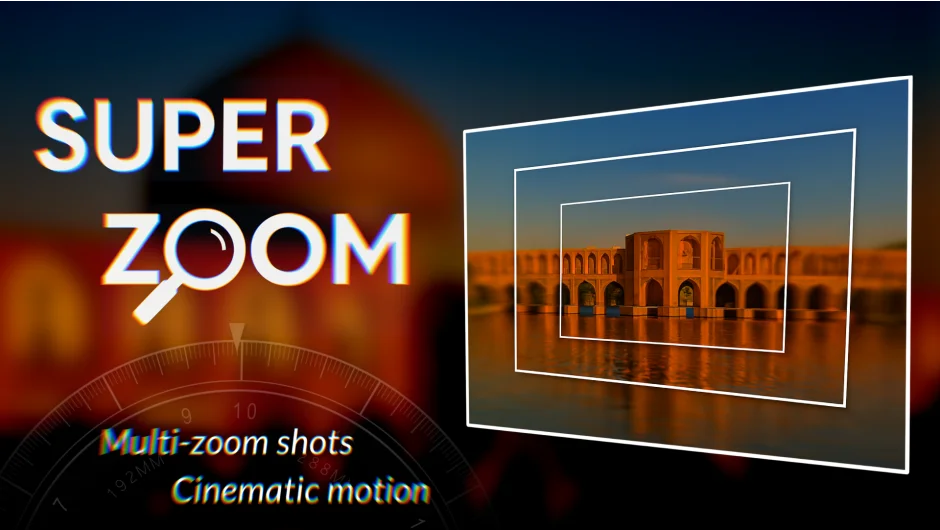
What It Does
SuperZoom converts a series of images taken at different zoom levels (using a DSLR, mirrorless camera, or smartphone) into a smooth, cinematic zoom animation. Instead of manually aligning and blending each frame, the extension automates the entire process. You capture images at progressively closer distances or higher zoom factors, import them, and SuperZoom handles the rest: sorting from widest to closest, warping each layer to align with the previous one, feathering edges, matching colors, and building a parented composition ready for animation.
Key Features
Automatic Sorting and Stacking. SuperZoom analyzes your images and orders them from the widest shot to the most zoomed-in. Each layer is positioned above the previous one, creating a hierarchical structure you can scale through like a camera move.
Warp and Alignment. The extension warps each image to match the layer beneath it. This alignment compensates for slight camera movement or framing differences, so the zoom feels consistent.
Color Matching and Edge Feathering. Each layer is color-corrected to match its predecessor and feathered at the edges. The result is a unified visual flow without harsh transitions or color shifts.
Manual Zoom Targeting. You can set the final zoom destination to any object on your timeline. Click “Set Zoom” and SuperZoom redirects the animation to land on that layer. This feature supports infinite zooming by chaining multiple sequences together.
Geolocation-Based Zoom Generation. Enter a geographic location in the built-in panel and SuperZoom generates a series of zoomed images from that point, then builds the cinematic sequence automatically. Useful for map-based zooms or location reveals.
Exponential Scale Simulation. The extension uses scale keyframes to simulate exponential zoom behavior. You can add unlimited scale keys at extreme zoom levels without visual artifacts, maintaining smooth motion even when zooming into tiny details.
Who It’s For
SuperZoom suits motion designers who need seamless zoom effects without manual layer alignment. Also useful for documentary work, geographic transitions, or any project where you want to zoom through multiple levels of detail. Especially valuable if you have access to telephoto lenses or zoom bursts from a single location.
Currently Windows only. macOS support is coming soon.
Pricing
SuperZoom costs $29 for a single user license. Upgrade pricing is available for existing customers of other MotionCodes products (login required to view the upgrade rate).