
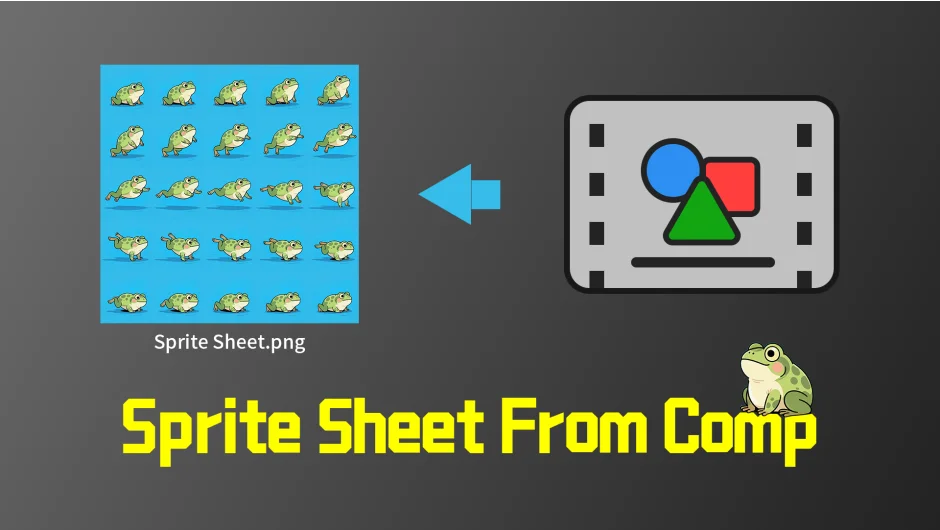
What It Does
Sprite Sheet From Comp renders any After Effects composition into a single sprite sheet image, then optionally imports it back as an animated comp with keyframes already set. This removes the need to manually create frame-by-frame animation from sprite sheets, a common task when preparing assets for games or interactive projects.
Key Features
Col & Row customization. Set how many frames appear horizontally and vertically in your sprite sheet. If the product of columns and rows is less than your comp’s total frames, the plugin excludes trailing frames. If it’s more, you’ll get blank cells at the end. This gives you control over sprite sheet density and layout.
Auto mode. Calculates optimal rows and columns to produce a sprite sheet with an aspect ratio close to 1:1 while fitting all frames. Useful when you don’t want to calculate grid dimensions manually.
Custom output path. Choose where the sprite sheet saves. Defaults to your project folder, but you can point it anywhere.
Import to Composition. After rendering, the plugin can automatically import the sprite sheet back into After Effects and insert keyframes for each frame, recreating the original comp’s appearance. If you disable this, you just get the sprite sheet file without the reimport step.
Expression-driven masks handle the frame-by-frame animation setup, which you can adjust or animate further if needed.
Who It’s For
Motion designers preparing sprite sheets for game engines, interactive web projects, or any workflow where you need a comp converted to a grid-based image sequence. Also useful if you’re exporting comps for developers who need sprite sheet formats instead of video files.
Pricing
Single license costs $9.99. A trial version is available. Upgrade pricing exists for prior owners of the plugin.