
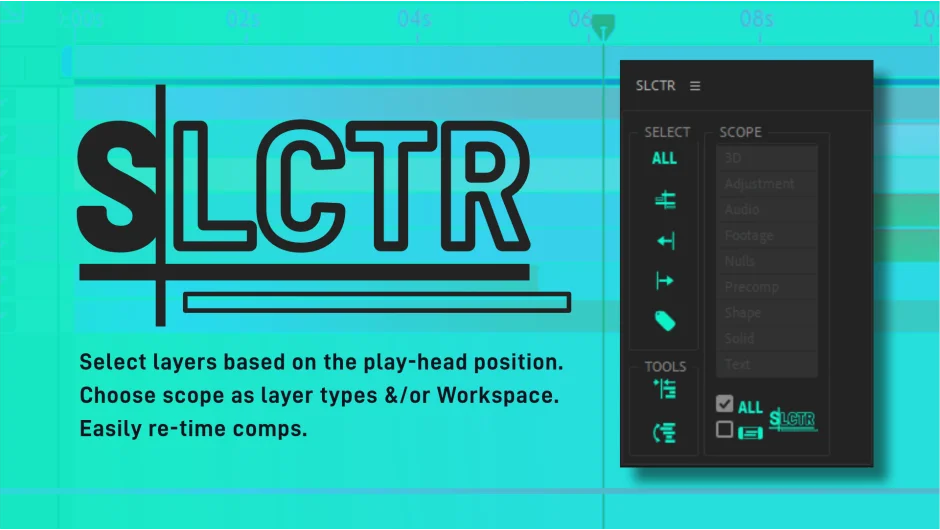
What It Does
SLCTR helps you select and organize layers based on the playhead position (Current Time Indicator). Instead of manually hunting through dozens of layers, you can instantly select everything before or after the playhead, filter by layer type, or match color labels. It’s particularly useful when retiming complex compositions to new music tracks.
Key Features
Selection by playhead position. Choose layers before or after the playhead from all layers or filtered by type (nulls, solids, shape layers, etc.). Hold Shift to add to your current selection rather than replace it.
Label matching. Select all layers that share the same color label as your currently selected layers, helpful for organizing projects by category or sequence.
Workspace restrictions. Limit selections to your current workspace area, keeping selections focused on the section you’re editing.
Shift to playhead. Move selected layers to align with the playhead while preserving their relative timing to each other. Useful for nudging an entire sequence forward or backward.
Flip layer order. Reverse the stacking order of selected layers (or all layers if none are selected). Fixes the common issue where pasted layers end up in the wrong order.
The panel is designed to sit at the right side of your timeline. Most operations take three clicks or fewer.
Who It’s For
Editors working with layered compositions who need to quickly reorganize timing, especially when adapting existing work to new audio tracks or client revisions.
Pricing
$9.99 for a single-user license. Free trial available. Compatible with After Effects 2020 through 2025.