
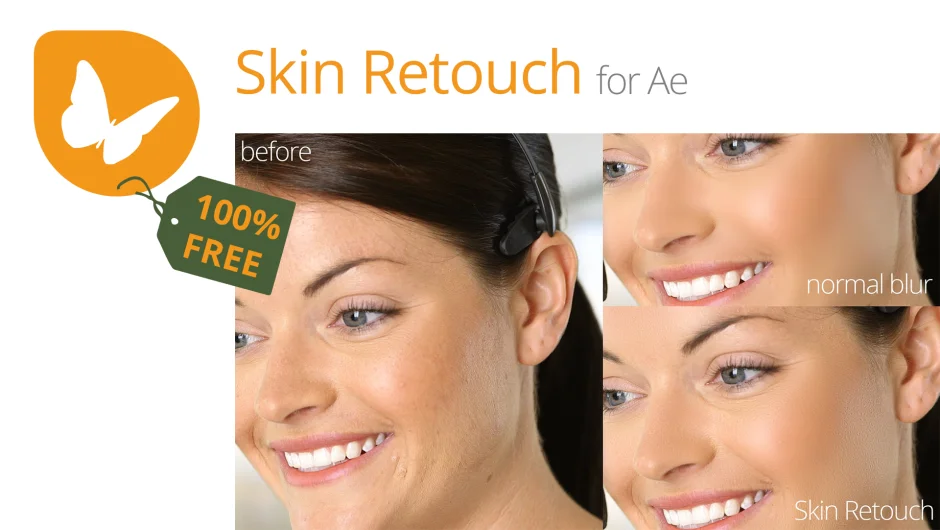
What It Does
Skin Retouch applies frequency separation to footage, a technique borrowed from Photoshop beauty retouching. It splits the image into two layers: high frequencies containing skin texture details, and low frequencies containing everything else. By blurring only the low frequencies and recombining them with the preserved texture layer, you get smooth skin without the plastic, unnatural look that comes from blanket blur effects.
The tool also supports wrinkle removal and other beauty retouching work through direct editing of the separated frequency layers.
Key Features
One-click frequency separation. The plugin automates the process of splitting your footage into high and low frequency layers, which would otherwise require multiple effects and manual setup.
Editable frequency layers. Since the separated layers are standard After Effects layers, you can modify them with any tool. For wrinkle removal, use the clone stamp on the skin details layer while leaving skin tone, shadows, and other elements untouched on the low frequency layer.
Non-destructive workflow. The separation preserves fine skin texture by keeping it on a separate layer, so smoothing operations don’t destroy natural detail.
Who It’s For
Designed for beauty retouching in After Effects, particularly for projects where you need to smooth skin in footage without losing texture. Useful if you’re working with talking head videos, interviews, or any project where talent appearance matters. The frequency separation approach gives you more control than standard blur effects.
Pricing
Skin Retouch uses a pay-what-you-want model. Individual users can choose any amount, while businesses and teams must pay the suggested price ($47.20, currently on sale from $59) to receive a valid license. This is a one-time purchase with no subscription.