
What It Does
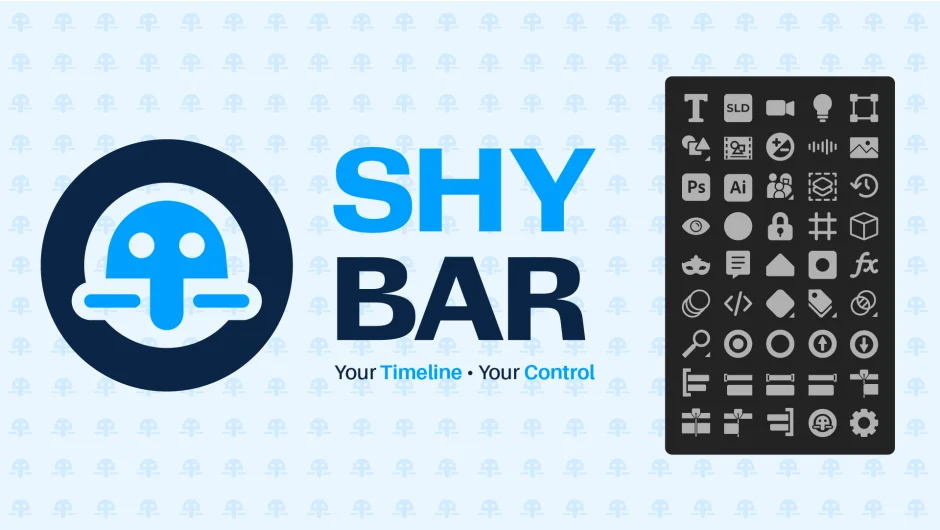
Shy Bar filters timeline layers in After Effects based on dozens of criteria, from layer type and effects to timing and search terms. Instead of manually marking layers shy, you click a button to isolate exactly what you need: all text layers, layers with masks, layers visible at the current time, or layers matching a search query. It replaces the tedious process of scrolling and hiding layers one by one.
Key Features
Case-sensitive search. The Seeker Sleuth window searches layer names, effects, comments, markers, and expressions. Right-click the search button to auto-fill the selected layer’s name or duration. Hold Ctrl+Alt on the search field to hide selected layers from view.
Multi-label color selection. Right-click the label button to open a checkbox window that lets you select multiple label colors at once. Ctrl+Alt on the checkbox automatically selects the labels of currently selected layers.
Over 50 layer filters. Isolate layers by type (text, solids, cameras, lights, nulls, shapes, precomps, audio, images, video, Photoshop, Illustrator, missing assets, 3D files), by property (masks, effects, layer styles, motion blur, expressions, specific keyframe types), by timing (visible in work area, visible at current time indicator, at composition start or end), or by relationship (parents, track mattes, blending modes).
Customizable panel. Choose which buttons appear in the UI. The panel adapts to horizontal or vertical docking and supports After Effects 2025 themes.
Right-click shortcuts. Right-click most buttons to access alternate functions. For example, right-clicking the Effects button switches it to Layer Styles, or right-clicking a label color applies that color instead of filtering.
Modifier key controls. Hold Shift to add more layers to your selection. Hold Alt to activate solo mode on chosen layers. Hold Ctrl to enable layers. Ctrl+Alt selects layers without changing visibility.
Restore previous shy states. A dedicated function reverts to the last set of shy layers, useful when you need to switch between two filter states quickly.
Independent label panel. An optional standalone panel (Shy Bar - Labels.jsxbin) provides quick access to label colors without opening the full Shy Bar interface.
Who It’s For
Motion designers managing hundreds of layers in complex compositions will save hours of scrolling. Character animators can isolate specific limbs or body parts by naming convention or label color. Video editors working with mixed media (audio, video, images, graphics) can quickly filter by file type to troubleshoot missing assets or adjust specific elements. Studios collaborating on large projects benefit from the ability to filter layers by comments or markers for review.
The more layers in your timeline, the more valuable this tool becomes. Projects with 20 layers might not need it. Projects with 200 layers absolutely do.
Pricing
$34.99 for a single-user license. One-time purchase, no subscription. Includes lifetime updates and priority support. A free trial is available with limitations: you can select up to 5 layers at a time and enter only 3 search terms in the Seeker Sleuth window. The trial gives you enough functionality to test the core filtering workflow before buying.
