
What It Does
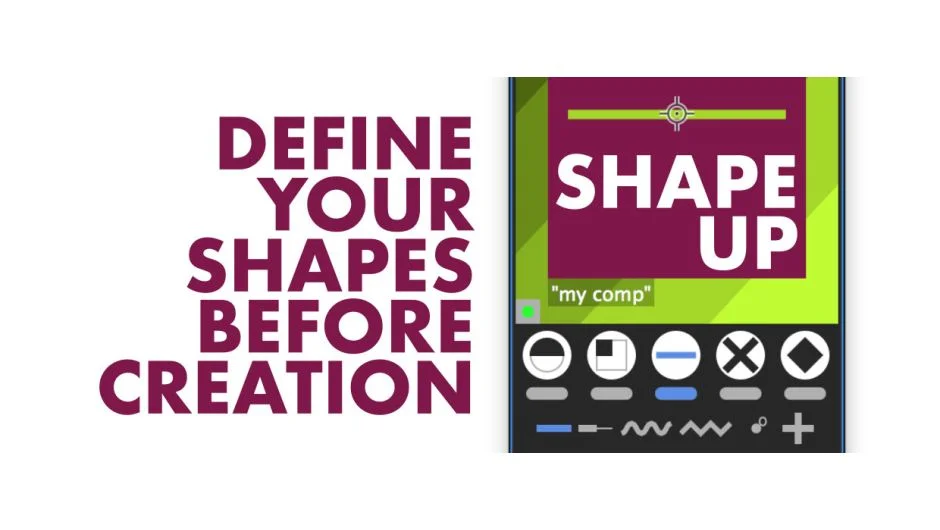
Shape Up lets you build After Effects shape layers before creating them in your composition. The script displays a live preview showing how your shape will look in relation to your comp, letting you adjust size, position, stroke width, rounding, and colors before committing. It produces clean, expression-free shapes using native parametric geometry or custom paths without merge paths, getting you started with a solid foundation.
Key Features
Five shape families. Choose from ellipses, rectangles, horizontal lines, vertical lines, and polygons + stars. Each family includes 5-6 variations.
Token-based input fields. Use shortcuts for comp dimensions, selected layer positions, grid spacing, and alignment. Input fields support basic math operations for offsets, making it quick to create half-sized or quarter-sized versions of master shapes, or position elements relative to existing layers.
Layer stack placement. Drop shapes at the top or bottom of your layer stack, or place them above or below a selected layer.
Anchor and alignment control. Set anchor points and align shapes to your comp within the preview. The “s” token positions shapes at selected layer locations, or averages position when multiple layers are selected.
Customizable properties. Control size, position, stroke width, rounding, number of copies, points, and inner dimensions for polygons and stars. Toggle stroke and fill on or off, set custom colors, and adjust cap and join styles via preferences.
Live preview. See your shape overlaid on your composition before creating it, though some limitations exist (particularly in CS6 versus CC). After Effects 16.1.2 has a known Adobe bug causing preview flicker, fixed in version 17.0+.
Limitations
The “s” position token doesn’t work with layers using position expressions. It works with single-parent layers but not if they’re rotated or scaled. The preview can’t display every detail due to legacy code constraints, and behavior varies between CS6 and CC.
Who It’s For
Useful for motion designers working with geometric compositions who need to generate multiple shapes at specific sizes or positions. The token system and preview are particularly valuable when building alignment grids, interface elements, or repeated geometric patterns.
Pricing
Shape Up uses pay-what-you-want pricing. The product page lists a suggested price of $5.99 (reduced from $7.99), but you can set your own amount. Note that this product has been discontinued by the developer.
