
What It Does
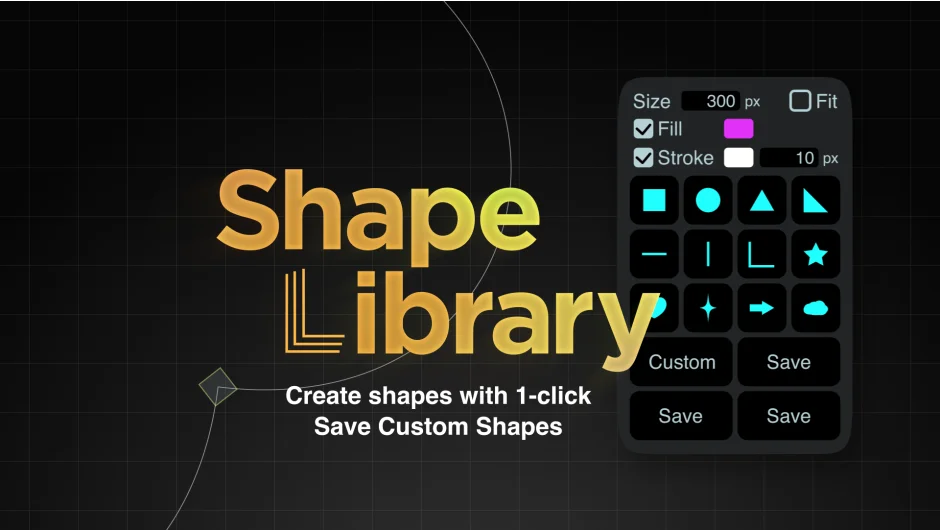
Shape Library stores your frequently used shapes for instant reuse. Save logos, icons, or illustrations as custom presets that recreate themselves with a single click. The plugin also includes basic shape presets (squares, circles, hearts, arrows) that generate at composition size.
Key Features
Basic shape presets. Includes 12 built-in shapes: square, circle, triangle, right triangle, horizontal/vertical/right-angle lines, star, heart, glitter, arrow, and cloud. Each creates as a native shape layer, fitting to the largest dimension of your composition.
Custom shape saving. Select a path or entire shape layer and click save. The plugin stores single paths, full shape layers, groups, and Merge Paths setups. Gradients and Repeaters aren’t supported. Shift-click to delete a saved shape, Alt-click to rename it.
Quick shape settings. Toggle fill and stroke on/off, set colors, adjust stroke width, and specify size. The “Fit” option scales shapes to the largest size that fits the composition. Settings apply to both presets and custom shapes.
Cross-machine syncing. Custom shapes save to a JSON file in your Documents folder (gd_ShapeLibraryPreset.json). Copy this file to another computer to migrate your library.
Who It’s For
Useful for motion designers who reuse brand assets across projects. If you regularly recreate the same logo lockup or icon set, this lets you store them once instead of rebuilding or copy-pasting. Also handy for quick placeholder shapes when roughing out animations.
Pricing
Shape Library uses pay-what-you-want pricing. The suggested price is $22.20, but you can choose any amount. A free trial is available. One-time purchase with no subscription.
Compatible with After Effects 2022 through 2026. Made by grape design.
