
What It Does
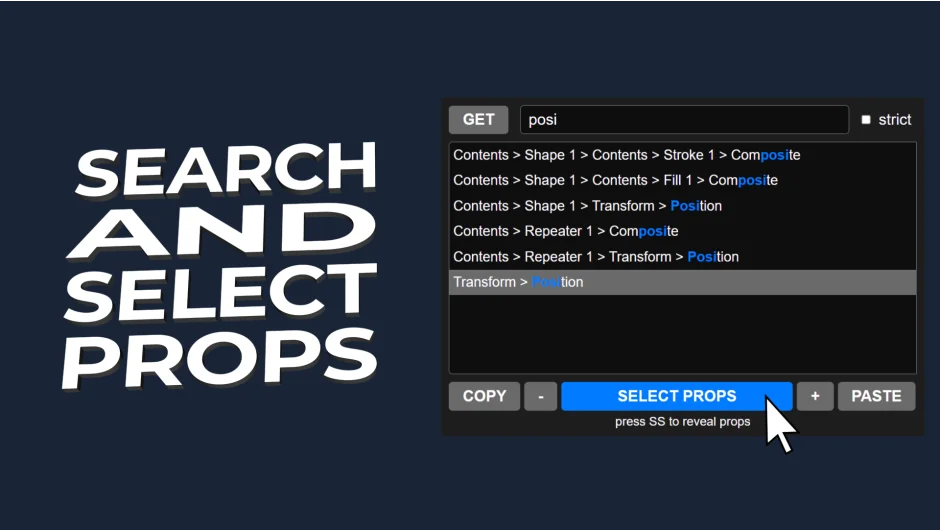
Search and Select Properties lets you find and select multiple properties by name within After Effects compositions. Instead of manually hunting through layer hierarchies, you type a property name and the script displays all matches. You can then select them all at once, copy them, and paste them elsewhere without the duplicate group problems that sometimes occur with native After Effects workflows.
Key Features
Property search. Type a property name (like “Position” or “Opacity”) and the script finds every instance across your selected layers. Results appear alphabetically, making it easier to scan through long lists.
Strict mode. Toggle this option to refine your search criteria. Useful when you need exact matches rather than partial name matches.
Multi-select and copy. Select multiple found properties with one click, then copy them. The paste function avoids creating duplicate property groups, a common issue when copying properties manually.
Panel interface. The script runs as a dockable panel in After Effects, keeping it accessible while you work.
Who It’s For
Useful if you work with complex compositions where properties are buried deep in layer hierarchies. Motion graphics artists reusing property settings across multiple layers or comps will find this faster than the native search. Also helpful for cleaning up projects by quickly locating and modifying specific properties by name.
Pricing
Pay what you want (minimum pricing not specified on the product page). The developer lists this as a Name Your Own Price model, meaning you decide what to pay when downloading.
