
What It Does
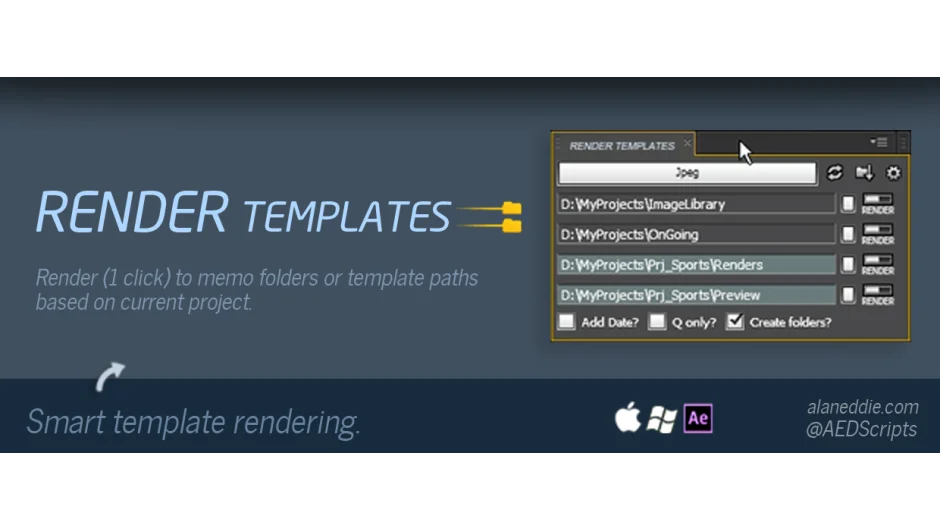
Render Templates was a script that automated render output to folder structures you define once and reuse across sessions. If you organize projects the same way every time, it skips the manual path-setting step in the render queue. One click sends the active comp to the right folder. Shift-click renders all selected comps in the project panel. The script has been discontinued and is no longer available for purchase.
Key Features
Automatic folder routing. The script remembers template paths between After Effects sessions. Define your output structure once (e.g., project_name/renders/sequences), and subsequent renders go to the correct location without re-entering paths.
Date-stamped output. Files and folders can include user-editable date stamps, making it easier to track version history when rendering multiple iterations.
Batch render queue. An “add to queue only” option lets you queue multiple comps without immediately starting the render. Useful when you want to set up several outputs, then walk away.
Import and replace. Import the last rendered file and drop it on top of the current comp, streamlining review workflows.
Who It’s For
Render Templates was aimed at motion designers who maintain consistent project folder structures and need to render frequently to the same locations. The one-click approach saved time over manually navigating the render queue, especially on repetitive client work or serialized outputs.
Pricing
This product is discontinued. No pricing information is available, and the plugin is no longer sold or supported.