
What It Does
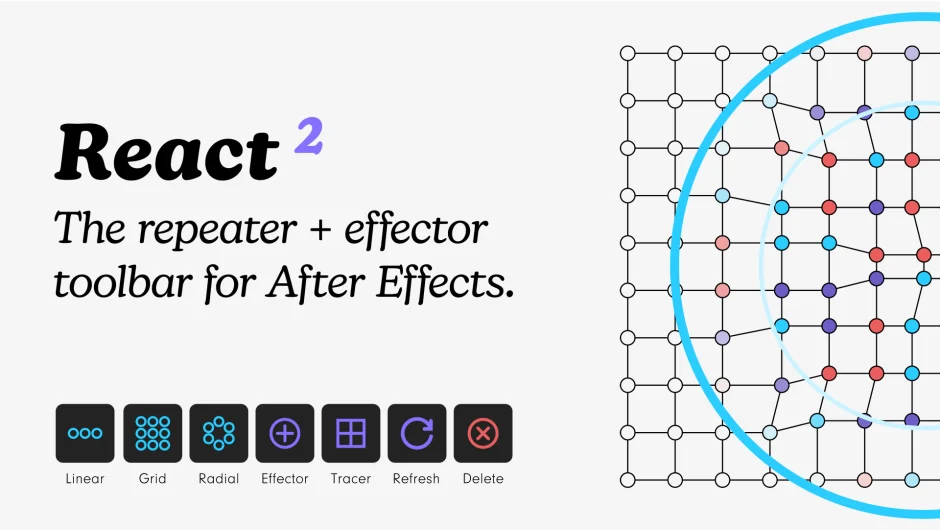
React brings a Cinema 4D-style cloner and effector system to After Effects. Select your layers, pick a repeater type (grid, radial, or linear), add effectors to control properties, and adjust parameters with sliders. The plugin uses expressions to duplicate layers and apply positional, rotational, or custom effects based on each clone’s index.
Version 2 added support for effectors on any keyframeable property, improved speed, a refresh button for updating layer counts and sorting, and the new Tracer feature for connecting repeated layers with dynamic lines.
Key Features
Grid Repeater. Arrange layers in a grid with adjustable spacing, including honeycomb layouts. Change column and row counts, then refresh to apply.
Radial Repeater. Distribute layers in a circle with start and end angle controls. Useful for circular title animations or radial UI elements.
Linear Repeater. Space layers along a line with adjustable distance between clones.
Position Effector. Three modes: Relative (offset from original position), Absolute (set exact coordinates), or Attract/Repel (push or pull layers toward a target). X and Y multipliers let you attract in one dimension while repelling in the other.
Rotation Effector. Rotate clones by degrees (Relative) or orient them toward a target (Look At).
Color Effector. Five modes: Single Color, HSL adjustment, Multiple Colors (Iterate, Blend, or Random). Works with layer fill and stroke.
Custom Property Effectors. Apply to scale, opacity, or any property that accepts keyframes. Exception: custom properties like histograms.
Falloff Shapes. Choose Circle, Box, or Linear falloff to control which clones the effector affects.
Tracer. Connect repeated layers with shape layer paths. Updates dynamically with effectors. Grid repeaters support grid, snake, or zig-zag patterns.
Smart Modifiers. Every effector includes Random (with evolution controls for loopable randomness), Step (multiplies by clone index), and Sticky (rounds values to the nearest specified number). Random now has Evolution and Evolution Steps for seamless loops.
Text Layer Support. Split text layers into letters, words, or lines. Repeated layers update as you type. Add effectors to create kinetic typography.
Stacking. Combine multiple effectors on a single repeater for complex animations. Each effector can target different properties.
Custom Easing. Built-in easing options (Linear, Ease In + Out, Ease In, Ease Out) or fine-tune interpolation manually.
Sorting Modes. Sort clones by Iterate, Cluster, Random, Row, or Column. Hit Refresh to apply.
Bake Keyframes. Select repeated layers and delete to bake keyframes, removing expressions for faster playback.
Who It’s For
Motion designers who work with repeating elements, grid layouts, or procedural animation. If you’ve used Cinema 4D’s MoGraph tools and want similar control in After Effects, this is the closest equivalent. Also useful for anyone building kinetic text animations or UI mockups with multiple instances of the same layer.
Pricing
Single User License: $40.00. Floating server license available for multi-seat studios. Free trial available. Existing React v1 users can upgrade to v2 at no cost (note: v2 is not backwards compatible with v1).

