
What It Does
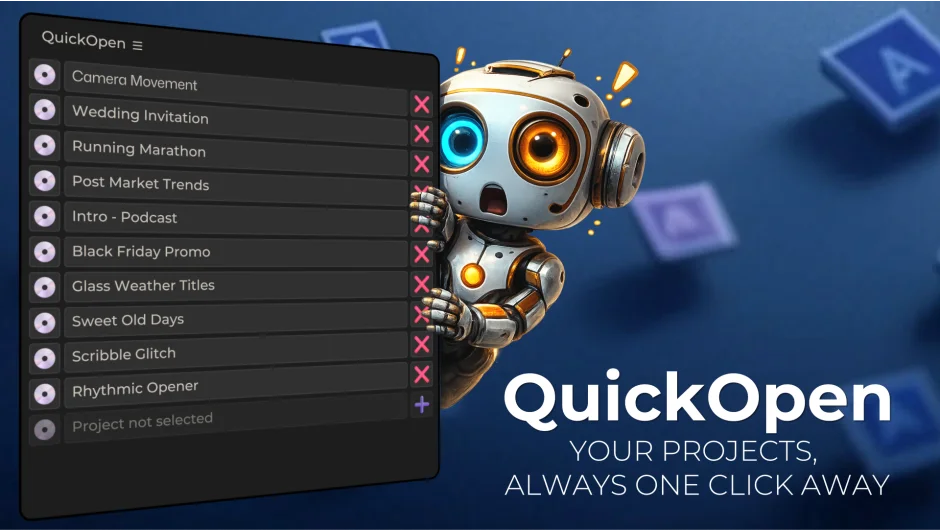
QuickOpen replaces After Effects and Premiere Pro’s default project browsing with a persistent panel of up to 30 project slots. Click a project name to open it. Click the save button to save with automatic versioning to a pre-assigned folder. No hunting through Recent Files or navigating save dialogs.
Key Features
Instant Access. Store up to 30 projects in the panel. Each slot supports drag-and-drop, custom display names, and one-click opening. Useful for editors juggling client projects or seasonal work that cycles back around.
Smart Saving. Assign a save folder to each project. QuickOpen generates filenames with auto-incrementing version numbers and optional composition or sequence name insertion. Saves go to the right folder without typing paths or checking existing versions.
Customizable UI. Switch between horizontal and vertical layouts. Scale the interface from 50% to 250%. Rename slots and drag to reorder. Adjust to fit your panel setup.
Multi-Language Support. Ships with seven language packs: English, Spanish, Hindi, French, German, Ukrainian, and Chinese. Works on both Windows and macOS across After Effects and Premiere Pro back to CC 2018.
Who It’s For
Freelancers managing multiple client projects. Studios with network-shared project libraries. Anyone who opens and saves the same set of projects frequently and wants to skip the file browser.
Pricing
$9.99 for a single-user license. Floating server licenses available for teams. A trial version is offered. One-time purchase, no subscription.
