
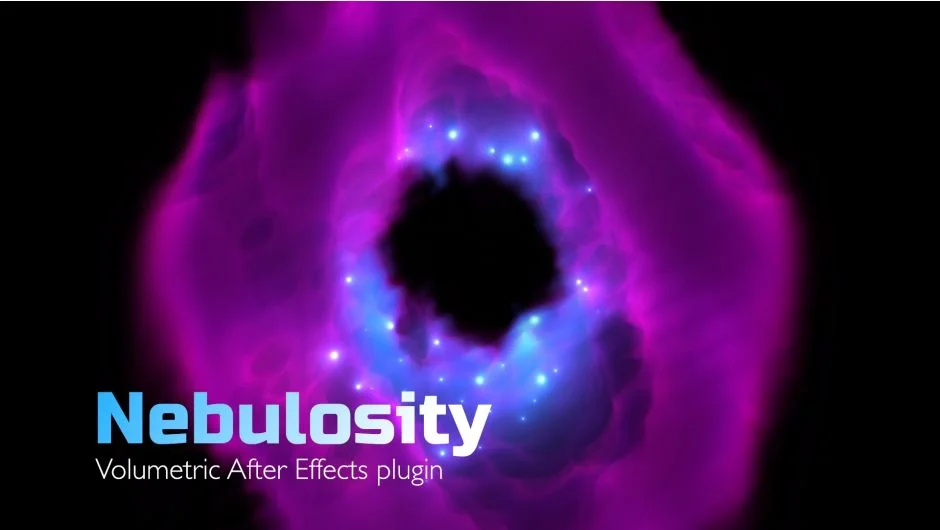
What It Does
Nebulosity generates volumetric effects using a raymarching algorithm that calculates and visualizes density. It combines noise, layers, and ramps to create nebulas, galaxies, clouds, and smoke. GPU acceleration keeps renders fast even with complex setups.
Key Features
Base Form. Start with a box or sphere as the bounding shape. Customize it using layers in Cut or Extrude mode. Ramps mask the volume, and a Feather Ramp smooths edges for natural falloff.
Noise Combination. Layer up to three types of noise: Volume, Spiral, or Inverted FBM. Each noise layer can be fine-tuned independently and animated using an Evolution slider.
Emission Gradient. Choose from Color, Layer, or Gradient as the emission source. Gradients can be distributed by Density, Radial position, or Noise. Both Density and Radial modes allow noise to affect distribution for organic variation.
Lighting. Place up to 30 Point Lights to illuminate your volumes from different angles.
Stars. Generate stars inside the volume with gradient randomization and scattering controls. Fast Stars mode optimizes performance.
Masking with Layers. Use layers in Cut mode to remove sections or Extrude mode to expand the volume. This makes it possible to create complex shapes from simple primitives.
Mosaic Post Effect. Transform the volume into a pixelated look.
Depth Composing. Output includes a Z-buffer for compositing volumes with other 3D elements.
Who It’s For
Motion designers working on space scenes, abstract backgrounds, or sci-fi VFX. Useful for title animations that need atmosphere or texture. Compositors who need volumetric elements that integrate with 3D layers.
Pricing
Pay what you want. The plugin uses a name-your-own-price model. The developer suggests $49, but you choose the amount when purchasing through aescripts.