
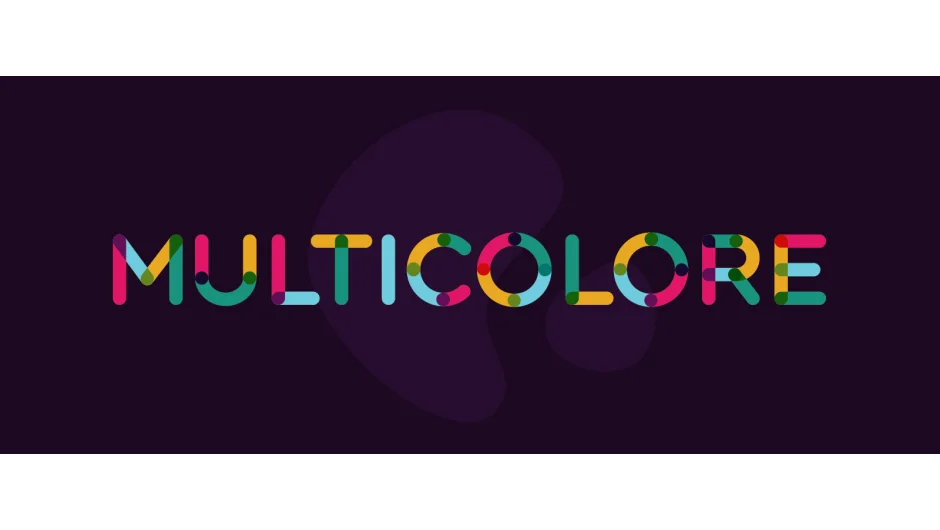
What It Does
Multicolore generates customizable animated text in After Effects using a rounded modular design system. The typeface defaults to vibrant multi-color animations, but you can strip it back to a single color and disable secondary effects like splashes and background circles for cleaner results. It comes in JSX format for lightweight integration with Font Manager, plus a neatly organized .aep file containing all animated characters.
Key Features
7-color palette. The typeface supports up to seven distinct colors with a multiply color option for blend effects. Circle stroke controls. Adjust the width of circular elements or disable them entirely. Splash toggles. Turn splashes on or off depending on whether you want energetic movement or a more restrained look. Background circle. A white background circle can be toggled for contrast on darker backgrounds.
The character set includes uppercase Latin letters (with extended European diacritics), Cyrillic, numerals, and basic punctuation. Type design by Ivan Filipov, animation by Oi Vaidas.
Who It’s For
Useful for title animations, lower thirds, or any project where you need expressive typographic motion without hand-animating every character. Works well for music videos, explainer intros, or brand graphics that benefit from a playful, geometric aesthetic. Compatible with After Effects 2020 through 2024.
Pricing
Multicolore uses pay-what-you-want pricing. You name your price when purchasing. A free 7-day trial is available (covers characters A, B, and C only) and requires Font Manager, which also offers a free trial. If you buy four or more Animography typefaces, you save 25 percent automatically.
Optimized for use with Font Manager (controls size, tracking, line spacing, alignment, time offset) and Animography Controller (drag characters to comp, parent controller settings with one click). A static version of the typeface can be downloaded separately at no cost from Behance.