
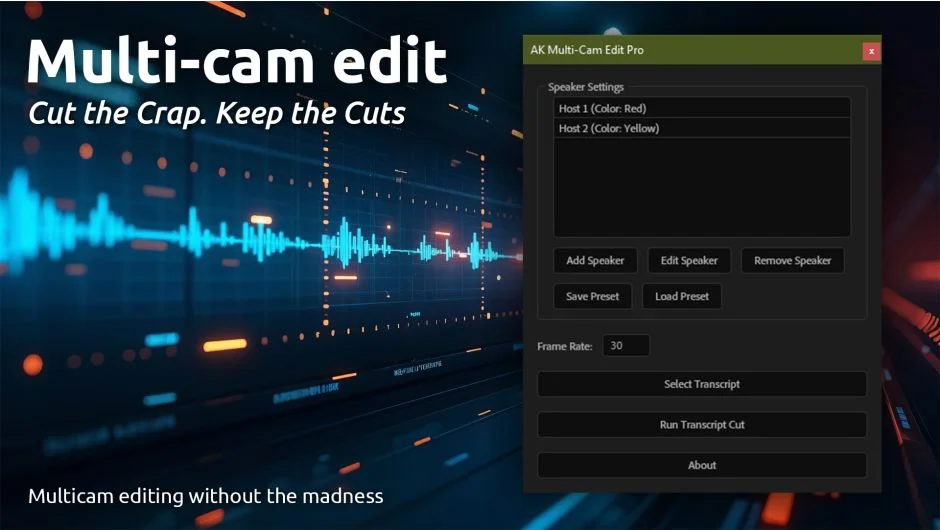
What It Does
Multi-Cam Edit Pro automates the tedious process of reconstructing multi-camera edits inside After Effects. Export a timecoded transcript from Premiere Pro as a text file, load it into the script, and it automatically cuts and syncs the corresponding video layers based on speaker names and timestamps. This turns what would normally be hours of manual timeline adjustments into a one-click operation.
Key Features
Transcript-Based Cutting. The script reads the timecodes and speaker names from your Premiere Pro transcript and automatically cuts the matching video layers in After Effects. Everything stays in sync without manual slicing.
Speaker Presets. Save speaker names once and reuse them across projects. Useful for recurring podcast guests or multi-part interview series where the same people appear in multiple episodes.
Auto Frame Rate Matching. The script detects your composition’s frame rate and aligns the transcript timings accordingly, preventing drift or sync issues caused by frame rate mismatches.
Gap-Free Sequence. Generates a compact edit with color-coded cuts for each speaker. No black frames between clips, making it easier to spot who’s talking at a glance.
One-click workflow: set your comp, load the transcript, run the script. The edit is reconstructed without dragging layers or splitting clips by hand.
Who It’s For
Podcast editors who cut interviews in Premiere Pro but need the edit in After Effects for graphics, lower thirds, or effects passes. Also useful for anyone working with multi-camera interview footage where speaker changes drive the edit.
The workflow requires layers in After Effects named to match the speaker names in your transcript, so some prep is involved, but the payoff is significant for repetitive multi-cam projects.
Pricing
$49.99 for a single-user license (one-time purchase). A 10-day free trial is available with full functionality to test the workflow on your own projects before buying.
