
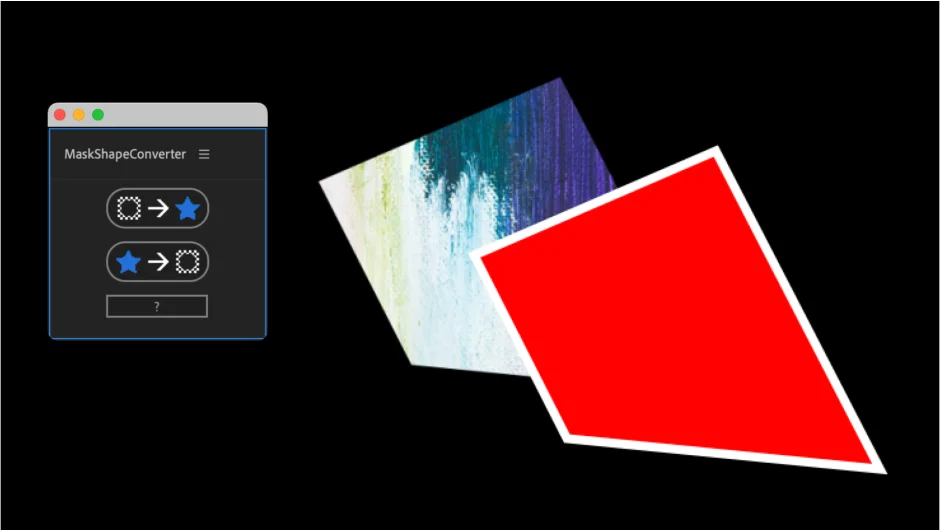
What It Does
MaskShapeConverter handles bidirectional conversion between masks and shape layers in After Effects. Select a masked layer and convert it to an editable shape. Or take a shape layer, convert it to a Bezier path, and apply it as a mask to another layer. The conversion preserves keyframe animation and works with both 2D and 3D layers.
Key Features
Mask to Shape conversion. Select any masked layer and run the tool. It creates a new shape layer with the mask path data, maintaining animation keyframes if present. The resulting shape layer becomes fully editable with all standard shape layer properties.
Shape to Mask conversion. Convert a shape layer to a Bezier path first, then select your target layer and run the conversion. The shape path becomes a mask on the selected layer. Useful for applying complex vector shapes as masks without manual redrawing.
3D layer support. When converting a 3D layer, the output shape layer automatically inherits 3D properties, maintaining spatial relationships in your composition.
Track matte option. Hold Alt (Windows) or Option (Mac) while running the conversion to automatically set the created shape layer as a track matte for the source layer.
Keyframe preservation. Animated masks convert to animated shape paths with all keyframes intact. Added in version 1.2.
Non-Bezier path support. Version 1.3 added direct conversion from paths other than Bezier, expanding compatibility with different shape types.
Who It’s For
Motion designers who need to switch between masks and shapes mid-project. Useful when you need the editing flexibility of shape layers but started with masks, or when applying complex vector artwork as masks. The 3D support makes it practical for spatial compositions.
Pricing
Pay what you want, with a suggested price of $14.99. A free trial is available to test the workflow before purchasing.