
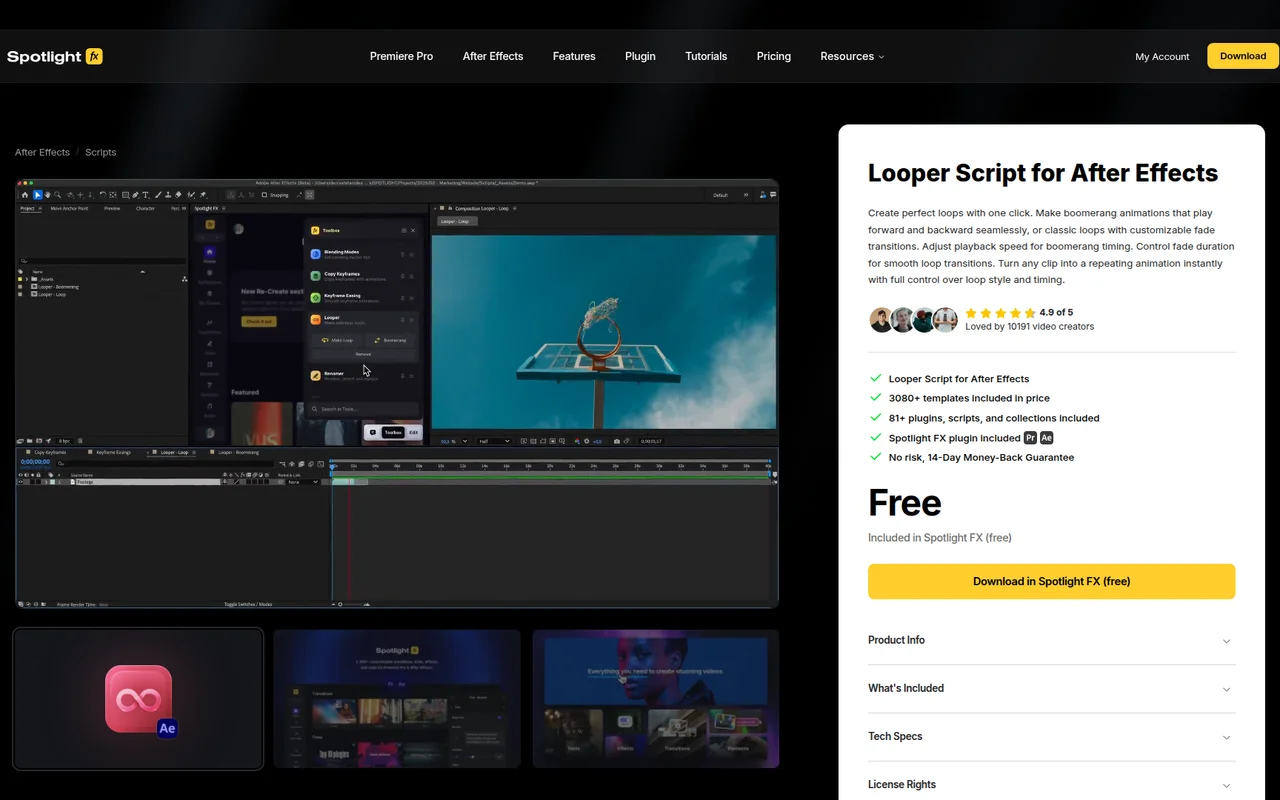
What It Does
Looper converts any footage into repeating animations without manual keyframing. Select a clip, run the script, and it generates a loop with your chosen style, either a classic seamless loop or a boomerang that plays forward then backward.
The script handles the technical work of creating smooth transitions between loop cycles. You control the fade duration, playback speed for boomerang timing, and loop style through a simple interface.
Key Features
Instant looping. Apply looping behavior to any layer with one click. No need to duplicate clips or set up expressions manually.
Boomerang mode. Create forward-backward animations that reverse seamlessly at the end of each cycle. Adjust playback speed to control the timing.
Customizable fades. Set fade duration for smooth transitions between loop iterations. Prevents jarring cuts when the animation repeats.
Toolbox integration. Access Looper through the Spotlight FX Toolbox panel alongside other workflow scripts. Pin it to keep it visible, reorder it in your list, and dock the panel anywhere in your After Effects workspace.
Who It’s For
Useful for motion designers creating looping background elements, social media content that needs to repeat smoothly, or any project where footage needs to cycle continuously. Works well for title animations, abstract motion graphics, and texture loops.
Since it automates the repetitive setup work, it’s particularly helpful when you need to create multiple looping elements in a single composition or want to test different loop timing options quickly.
Pricing
Looper is included free in the Spotlight FX plugin for After Effects. Download Spotlight FX at no cost to access Looper along with other workflow scripts like Anchor Point Mover, Renamer, and Keyframe Easing. The script updates automatically through the plugin, with no separate installation required.
