
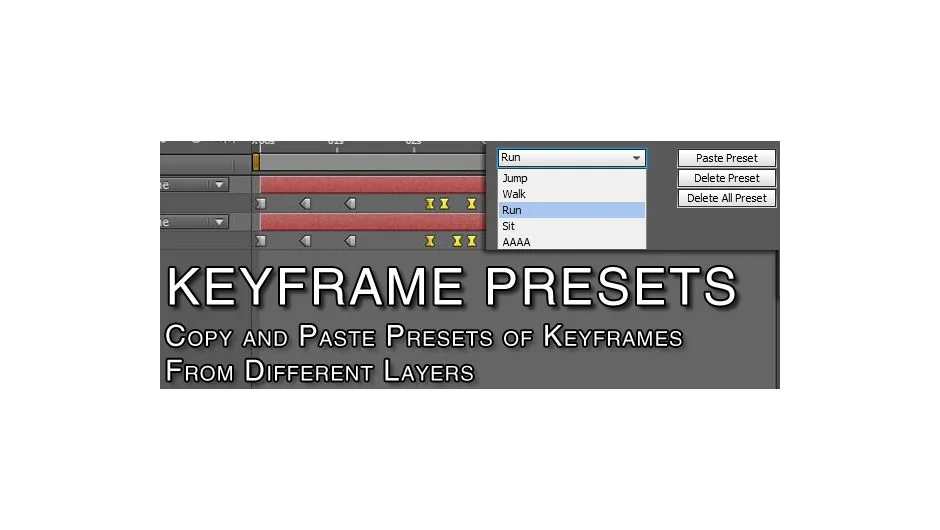
What It Does
Keyframe Presets lets you bundle keyframes from multiple layers into reusable presets. Select keyframes from any number of layers, save them as a preset, then paste that exact animation setup onto different layers. Works across compositions and projects through import/export.
Layers are identified by name when you paste. Select the layers you want, choose a preset, and the script matches keyframes to layer names automatically. Selection order doesn’t matter.
Key Features
Multi-layer presets. Capture keyframes from as many layers as you need in one preset. Useful for character rigs, synchronized motion graphics, or any repeated animation pattern.
Selective pasting. Paste only to selected layers, even if the preset contains more. Or ignore layer names entirely and paste based on selection count and order (requires exact layer count match).
Keyframe labels. Presets preserve keyframe color labels. Optionally auto-select newly pasted keyframes for immediate tweaking.
Import and export. Transfer presets between projects via files. Import multiple presets at once. Set presets to auto-load when After Effects starts.
Preset management. Rename, delete, or rearrange presets in the list. Export individual presets. Clear all presets when needed.
Known Limitations
Doesn’t work with effects that use custom keyframe values (Levels Histogram, Hue/Saturation Channel Range). Temporal Auto-Bezier keyframes won’t paste with the correct interpolation type.
Who It’s For
Character animators reusing walk cycles or facial expressions. Motion designers repeating logo animations or text treatments across scenes. Anyone who copies the same keyframe patterns more than once.
Pricing
Pay-what-you-want with a suggested price of $19.99. Individual users can pay any amount. Businesses and teams must pay the suggested price for a valid license.
