
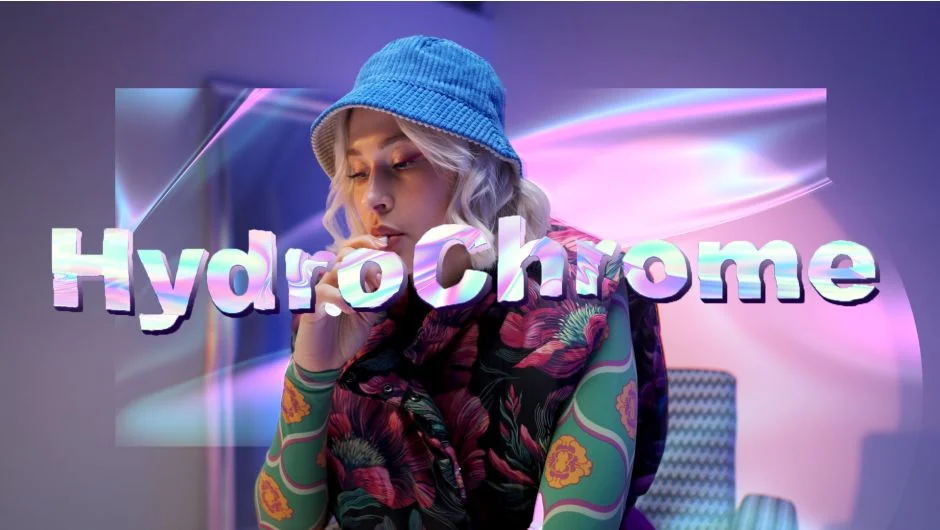
What It Does
HydroChrome generates abstract flowing backgrounds or applies chromatic distortion to footage. You can use it to create psychedelic visuals, subtle digital decay effects, or flowing textured backgrounds. The plugin renders live via GPU acceleration in After Effects, Premiere Pro, and Media Encoder.
Key Features
GPU rendering. The effect processes in real time without pre-rendering, letting you adjust parameters and see results immediately.
Looping animations. Disable “Follow Comp Time” and animate the “Time Offset” parameter to create seamless loops. Each cycle repeats at predictable intervals, useful for background elements or VJ loops.
Presets. Ships with Default, Super Chrome, Gradient, and Gallium presets. These give you starting points for different aesthetic directions, from subtle iridescence to heavy chromatic aberration.
Dual modes. Generate abstract backgrounds from scratch, or apply the effect to existing footage for a “chromified” look that adds flowing distortion to your source material.
Who It’s For
Motion designers working on title sequences or abstract backgrounds. VJs who need loopable GPU effects for live performance. Editors adding glitch aesthetics to music videos or experimental content. The plugin works across After Effects and Premiere Pro, so you can apply it in either compositing or timeline contexts.
Pricing
HydroChrome uses pay-what-you-want pricing. You choose your price when purchasing, with a suggested price of $39.99. Free trial available. Compatible with Mac (Intel and Silicon, macOS 12.0+) and Windows. Requires OpenCL/OpenGL support.