
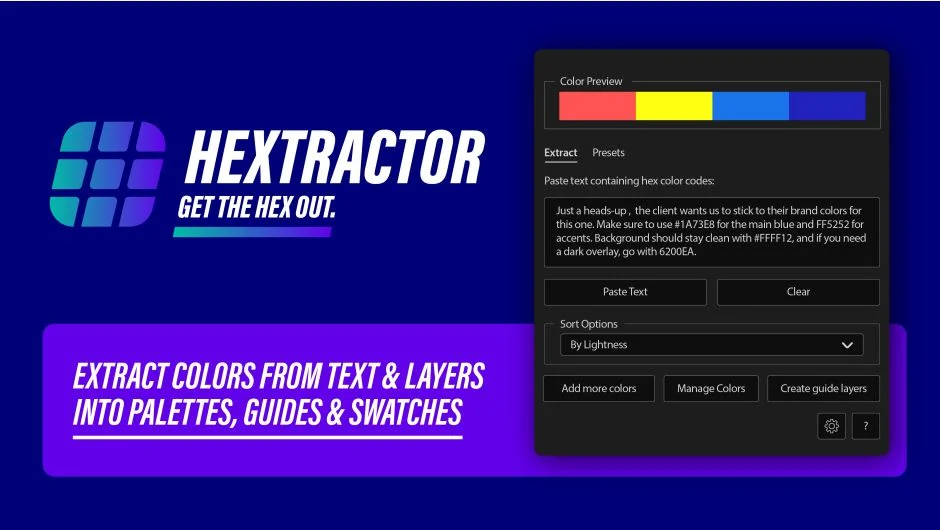
What It Does
Hextractor pulls hex color codes from anywhere (pasted text, selected layers, or images) and builds color controls, swatches, and guide comps automatically. Instead of copying hex values one by one or eyedropping manually, you paste a brand guide email and get a full palette in seconds.
Key Features
Extract from Multiple Sources. Paste text containing hex codes, select layers in your comp, or pick an image. The script scans them all and grabs every color it finds.
Automatic Color Controls. Generate color controls on a layer or build a dedicated comp with adjustable swatches. Sort by hue or lightness to keep things organized.
Save and Load Palettes. Save client-specific palettes as presets and reload them when switching projects. Share saved palettes with your team to keep everyone using the same colors.
Manage Colors Panel. Manually add or remove individual colors from your extracted palette. Useful for cleaning up noisy extractions or removing near-duplicates.
Tabbed Interface. Version 1.2.0 replaced dropdown navigation with a cleaner tabbed UI, making it faster to jump between extraction, palette management, and preset handling.
Guide layers are automatically set as guide layers in your comp, so they won’t render in final outputs. Recent updates fixed issues with mosaic creation, unique comp naming, and null object deletion when extracting from images.
Who It’s For
Useful if you work with brand guidelines, juggle multiple clients, or need to match colors from reference images. Instead of typing hex codes or sampling pixels repeatedly, you automate the palette-building step and focus on the actual design work.
Pricing
Single purchase at $15.99. Free trial available. No subscription.