
What It Does
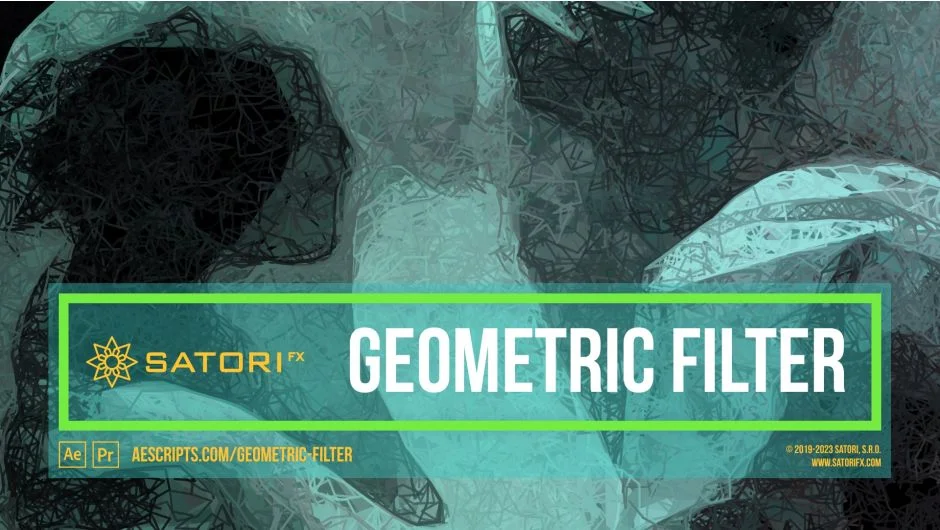
Geometric Filter transforms footage into artistic geometric approximations using a custom proximity matching algorithm. It scans your image for similar pixels and connects them with geometric shapes, lines, curves, triangles, squares, circles, or rectangles. The result traces image contours like hand-drawn artwork, creating stylized visuals comparable to style transfer machine learning algorithms but with precise manual control.
Key Features
Six shape types. Lines, curves, triangles, squares, circles, and rectangles give you different aesthetic approaches. Lines and curves create sketch-like effects, while filled shapes produce painterly results.
20 built-in presets. Start with pre-configured looks ranging from subtle geometric hints to full abstraction. All parameters are keyable, so you can evolve styles over time or create animated transitions.
Recursion steps. This parameter tells the filter to trace continuous stretches of similar color in the same direction. Higher recursion creates more defined outlines and contours, mimicking the way an artist follows a line.
Starting position strategy. Choose Random, Stable Random, or Grid placement for shapes. Random creates organic jitter, Stable Random reduces flickering between frames, and Grid gives a structured foundation you can randomize with the Grid Randomization slider.
Matching accuracy control. Adjust how precise the color matching is. Lower accuracy speeds up processing and introduces chaos, higher accuracy stays closer to the original image’s color distribution.
Fade controls. Modulate shape opacity based on size or recursion step. Useful for creating depth or emphasizing smaller details over larger fills.
Composite on original. Overlay the geometric output on the source footage to fill gaps or create hybrid styles.
Skip frames parameter. Reduce the effective frame rate of the filter to simulate cel animation techniques and suppress temporal jitter.
Extended rendering limits. Supports vertical rendering up to 16,384 pixels. No horizontal limit.
Multi-frame rendering support. Speeds up preview and export on modern hardware.
Who It’s For
Useful for music videos, visualizations, VJ performances, and abstract motion graphics. If you want hand-drawn or painterly looks without manually rotoscoping every frame, this handles it procedurally. Works in both After Effects and Premiere Pro.
Pricing
$43.99 for a single-user license. Floating server licenses and render-only licenses also available. A free trial is offered.