
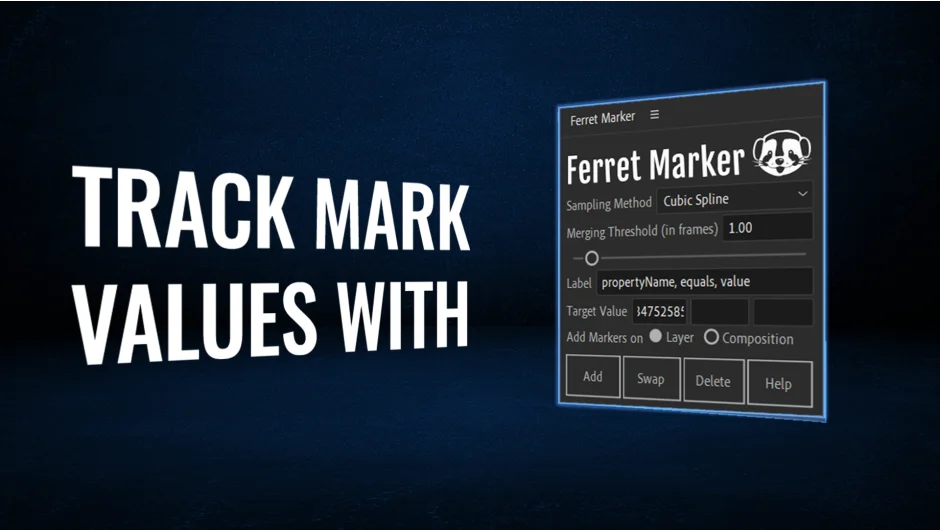
What It Does
Ferret Marker searches selected properties in your After Effects timeline for specific values and adds markers wherever it finds a match. Pick a property, enter a target value like 100 or 0, and the script scans your timeline to tag every occurrence. Useful when you need to locate specific animation states, flag opacity changes, or mark rotation angles across multiple layers.
Key Features
Target Value. Enter any numeric value to search for across selected properties. Works with position, scale, rotation, opacity, or any animatable parameter.
Sampling Method. Choose between Linear Interpolation (stable, works with all animation types) or Cubic Spline Interpolation (more accurate for smooth curves with Easy Ease or expressions).
Merging Threshold. Set a time span to group nearby instances into a single marker instead of creating dozens of closely-spaced markers. Keeps your timeline clean.
Custom Labels. Mix variables (layerName, propertyName, value, index) with your own text. Format it as “index, layerName, equals, value” or just type “HIT” for simple markers. Separate terms with commas.
Handles multiple properties across multiple layers in one pass. Select five rotation properties on different layers, and it will mark all matching values across all of them.
Who It’s For
Motion designers tracking specific animation states, editors marking audio sync points, or anyone managing complex timelines where manual marker placement becomes tedious. Particularly useful for version switching workflows (mark when a property hits a certain state, then jump between those markers).
The script is open-source on GitHub if you want to modify it or contribute improvements.
Pricing
Pay-what-you-want for individual users (suggested price around $23, but you set the amount). Businesses and teams should pay the suggested price for a valid license. One-time purchase, no subscription.