
What It Does
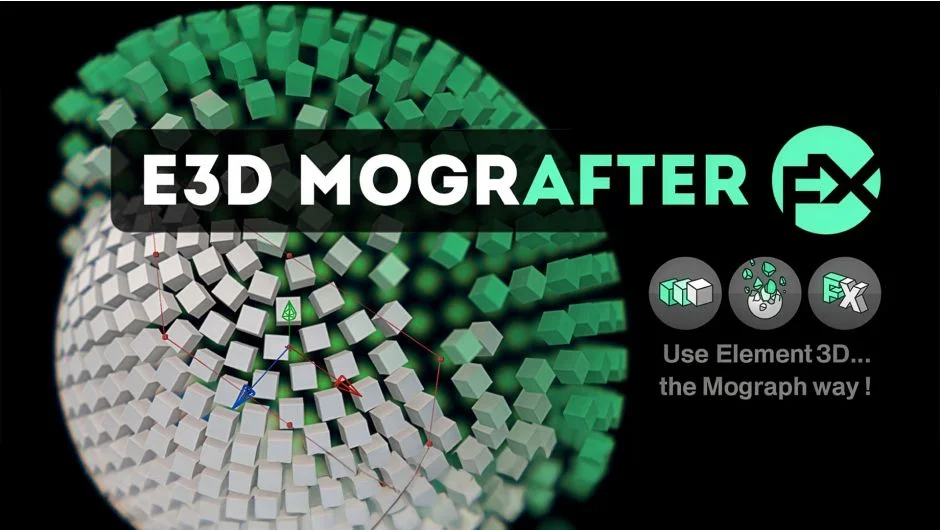
E3D Mografter FX replicates Cinema 4D’s Mograph module for Video Copilot’s Element 3D plugin. Move an Effector layer in 3D space to animate clones, fracture models into sub-parts, or extrude animated 3D text. The toolset mimics C4D’s naming conventions and workflows, making it familiar for Cinema 4D users while speeding up common motion graphics tasks in After Effects.
Requires Element 3D V2. Cannot function standalone.
Key Features
Cloner. Generates clones along X/Y/Z axes in four modes: Linear (single-axis), Grid Array, Radial, or distributed across a 3D Object mesh. Replace the default cube with custom Element 3D models or swap materials via Scene Setup.
Fracture. Breaks models into sub-parts for assembly or explode animations. Animate individual pieces by moving the Effector layer.
MoText. Extrudes and animates 3D text or paths character-by-character, useful for kinetic typography and title sequences.
Effector. A 3D layer controlling clones’ position, scale (including non-uniform and zero for disappearance), rotation, and color. Includes falloff controls (linear, spherical, sequential) for gradual animation spread. Random effector modes add variation.
Supports depth of field auto-setup. Parameters match C4D’s Mograph naming for quick orientation.
Who It’s For
Useful for motion designers creating cloned object arrays, title animations, or procedural assemblies without switching to Cinema 4D. Speeds up repetitive Element 3D setups by offering preset scenes and expression-driven controls. Newcomers to Element 3D gain a less technical entry point. C4D users transitioning to After Effects find familiar controls.
Not a replacement for full 3D applications, just a workflow accelerator for common motion graphics scenarios.
Pricing
Pay-what-you-want pricing. Set your own price starting from free. Listed at $39.99 as a suggested standard price, but the developer allows you to name your own price.