
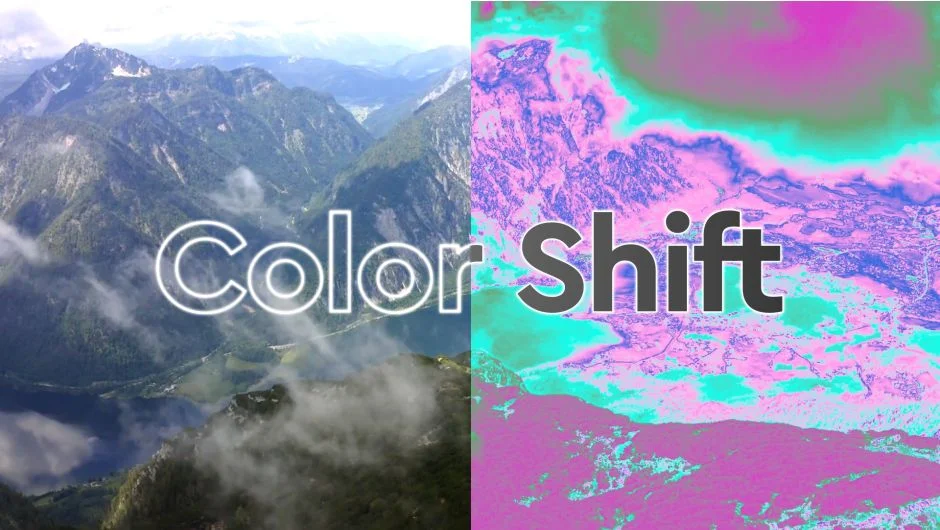
What It Does
Color Shift remaps pixel values to custom color gradients, transforming your footage’s entire color palette. Choose from 15 input range options (intensity, hue, red, green, blue, alpha, and more), then map those values onto a gradient of your design. A 50% gray pixel using the Intensity input range outputs the color from the exact center of your gradient. Apply this to depth passes for colorful slice effects, or use it on standard footage for stylized color grading.
The plugin analyzes each pixel’s value from the selected input range and outputs the corresponding gradient color, similar to After Effects’ built-in Colorama but with more control and modern features.
Key Features
15 Input Range options. Beyond basic intensity, you can remap red, green, blue, alpha, hue, saturation, lightness, and more. This gives you precise control over which part of the image drives the gradient mapping.
HDR and 32bpc support. Color Shift handles high dynamic range pixel values with three “Values Over 1” modes: Clamp (cap at 1), Wrap Back To 0, or Bounce. These modes also affect the Input Range Offset slider, which adds or subtracts from each pixel’s value and can push values beyond 1.
Keyframeable color positions. Unlike Colorama, you can animate the positions of gradient handles over time. This makes it possible to shift colors dynamically within a single shot.
Expression-driven masks. Fine-tune and animate gradient masks using expressions for procedural effects or precise control tied to other animation values.
Alpha gradient. In addition to the color gradient, Color Shift provides a separate alpha gradient. Unlock the alpha handles from the color handles to create custom transparency effects or entirely new alpha channels.
Gamma correction. Built-in gamma correction ensures color transitions look natural in different color spaces.
Optimized performance. The plugin is 2.5x faster than Colorama, making it practical for iterative grading or effects work on longer timelines.
Who It’s For
Useful for motion designers creating stylized looks, VFX artists working with depth passes or channel-based effects, and colorists who need gradient-based remapping beyond standard tools. The HDR support makes it relevant for modern high-bit-depth workflows.
Pricing
$39.99 for a single-user license. Trial version available. Upgrade pricing offered to existing customers (login required to view). Floating and render-only licenses also available.