
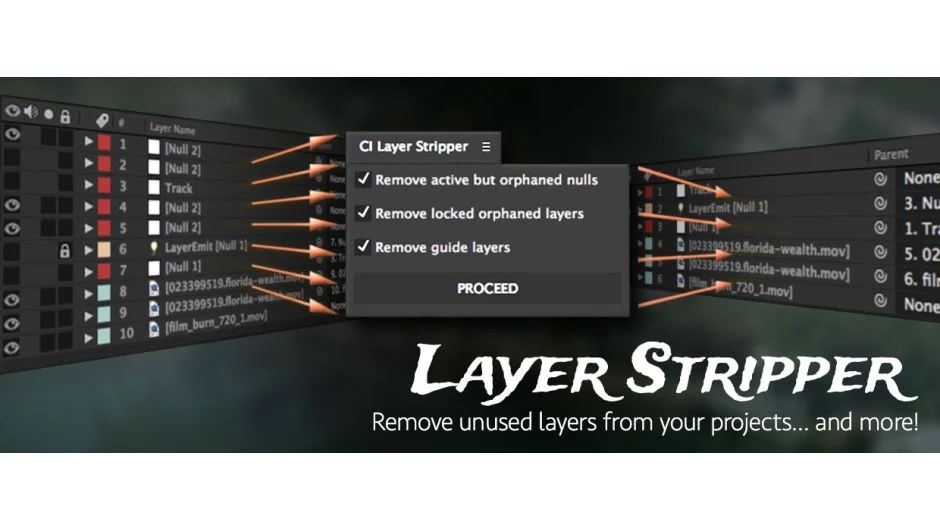
What It Does
CI Layer Stripper scans every composition in your After Effects project and removes layers that are invisible and not referenced anywhere else. It checks for layers used as parents, effect layers, track mattes, and in basic expressions before deleting them.
The script helps clean up messy projects and can reduce file size when using Collect Files or other archiving workflows. It’s particularly useful after heavy editing sessions when layers accumulate.
Key Features
Automatic layer detection. The script identifies invisible layers and cross-references them against parent relationships, track mattes, and effect layer references. It understands expressions like thisComp.layer(index) and comp("name").layer('name'), though it doesn’t handle variable-based references or loops.
Optional cleanup targets. Beyond invisible layers, you can choose to remove guide layers, unreferenced visible nulls, locked unreferenced layers (be careful with plugins like Trapcode Particular that might use locked layers), and disabled effects.
Expression limitations. The script does not recognize layers referenced through variables. If your project uses patterns like var c = thisComp; c.layer('myLayer');, you’ll need to review deletions carefully.
Who It’s For
Useful for motion designers working on long-form projects where layers pile up, or anyone preparing projects for client handoff. If you frequently use Collect Files or need to archive projects efficiently, this tool keeps things tidy without manual hunting.
Pricing
CI Layer Stripper uses a pay-what-you-want model. Individual users can name their own price, while businesses and teams must pay the suggested price for a valid license. Upgrade pricing is available for previous buyers.