
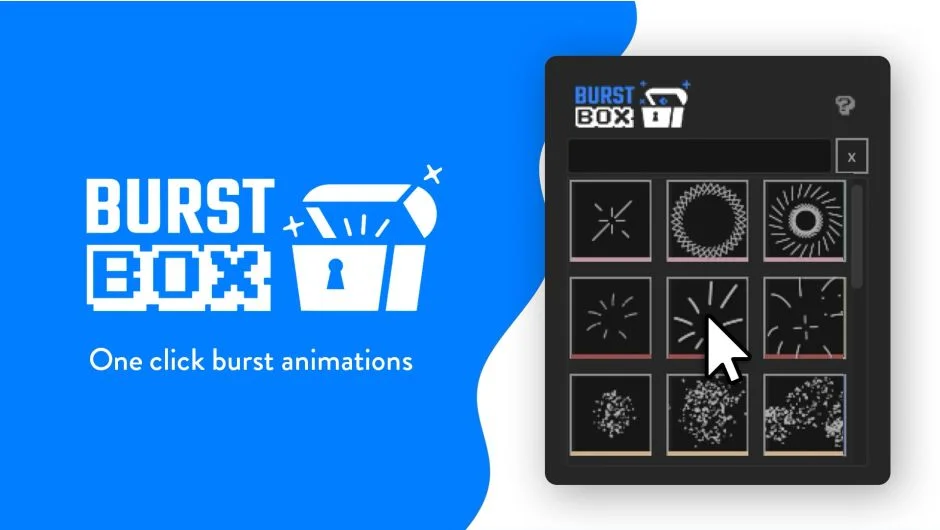
What It Does
Burst Box generates burst and pop animations from a library of 30 pre-made options. Search for a burst, click once, and it creates a precomp ready to use in your project. The tool targets motion graphics work where quick visual accents matter, like logo reveals, title cards, or transition flourishes.
Key Features
30 burst presets. Each animation works as a starting point. You’re not locked into the default, the tool builds editable precomps you can customize after creation.
Path editing. Open a burst precomp and adjust one path. That change updates all copies distributed around the circle, so you’re not manually tweaking dozens of layers. Controls include the number of path copies around the circle.
Color palette swapping. Multiple color schemes ship with the tool. Switch between them with one click, or customize the palettes to match your project. Color changes apply across all bursts at once if needed.
Searchable library. Use the search bar to filter through the 30 options and find specific styles quickly.
Who It’s For
Useful for motion designers who need visual accents but don’t want to spend time building radial animations from scratch. If you’re working on social media content, explainer videos, or branded motion graphics where bursts fit the aesthetic, this saves setup time.
Pricing
Burst Box uses a pay-what-you-want model. No minimum price, you decide what to pay. A 7-day free trial is available with no automatic charges when it ends. The listing mentions a special price of $12 (regular $16), but the core model is name-your-own-price.
