
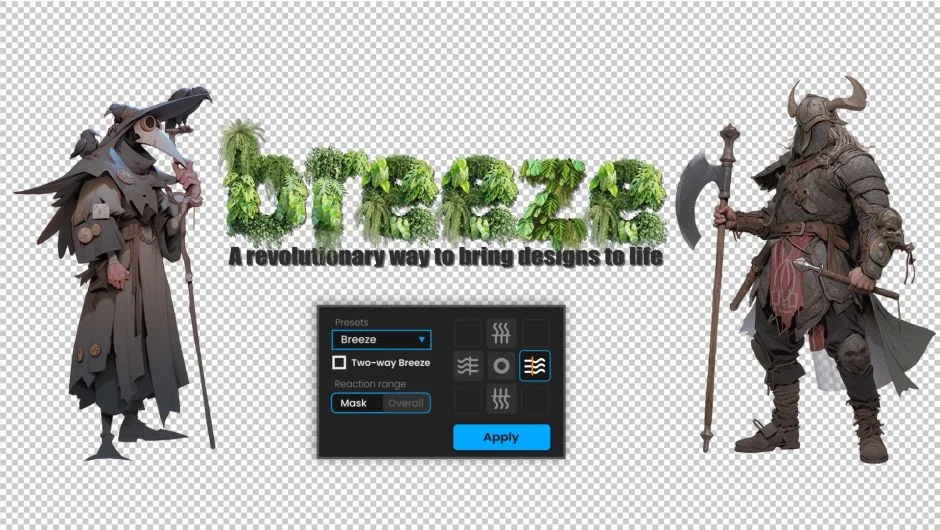
What It Does
Breeze generates wave-like motion on layers in After Effects. Point it at any layer or mask, choose a direction (up, down, left, or right), and it applies organic wave movement. It’s built for animating objects that need to look like they’re moving in wind or water: flags, fabric, flames, hair, anything that should ripple or flow.
Key Features
Four-direction wave motion. Apply waves moving up, down, left, or right. Two-way breeze capability lets you combine directions for more complex motion.
Mask support. Apply multiple independent wave effects to different masks on the same layer. Useful when you need different parts of a character or object to move at different speeds or amplitudes.
Two operation modes. Mask mode animates individual mask paths. Overall mode applies wave motion to the entire layer transform.
Ready-made presets. Several built-in wave patterns get you started without manual adjustment. Tweak from there if needed.
The interface is compact, a single panel with direction controls, amplitude, frequency, and speed sliders.
Who It’s For
Motion designers who animate flags, banners, or titles that need organic movement. Character animators rigging hair, cloth, or accessories. Anyone who needs quick wave distortion without manually keyframing dozens of mask points.
It’s a one-trick tool, but it does that trick faster than doing it by hand with expressions or path keyframes.
Pricing
Single purchase at $24. Trial version available to test before buying.
