
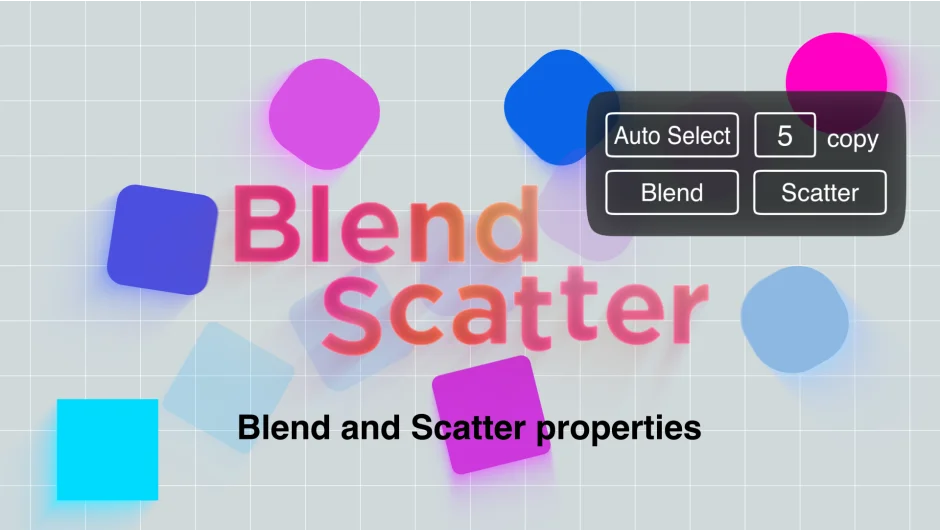
What It Does
Blend Scatter duplicates layers in After Effects and distributes their property values between the top and bottom layers in your selection. You pick how many copies to create, then choose whether to space them evenly (blend) or randomize them (scatter). It works on position, scale, rotation, color, effects, time remap, 3D properties, and layer styles. Shape properties, masks, and text source are not supported.
Key Features
Blend mode arrays properties at equal intervals between the top and bottom layer values. The original layers stay unchanged. Useful for creating evenly spaced duplicates along a path or across a range of color values.
Scatter mode randomizes property values between the top and bottom layers. Each time you run it, you get a different result. Good for organic variation in motion graphics or particle-like effects.
Copy mode duplicates layers based on the number you enter. Works with the blend or scatter options to control the distribution.
Auto Select automatically selects matching properties across all selected layers. Particularly useful when working with shape layers or effects where you need to target specific controls across multiple layers.
Keyframes are preserved. If the selected properties have keyframes, the plugin adds new keyframes at the changed values. No expressions involved, so the animation remains editable.
Supports most property types: position, scale, angle, color, effects, time remap, 3D transforms, and layer styles. Does not work with shape properties, masks, or text source.
Who It’s For
Motion designers building repeating elements or variations, like title sequences with staggered text layers, background patterns, or stepped color transitions. Also useful for creating quick mockups of particle-like systems without using an actual particle plugin.
Pricing
$10.80 for a single-user license. A free trial is available. Developed by grape design.