
What It Does
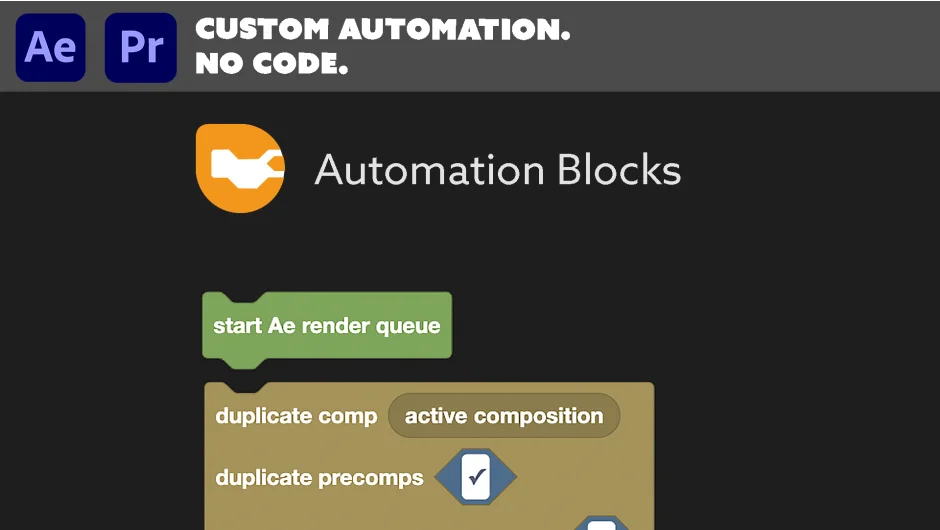
Automation Blocks turns repetitive After Effects tasks into one-click tools using a visual, block-based interface. Instead of writing code, you drag and drop blocks like Lego bricks to build custom workflows. The plugin comes with a library of premade tools for common tasks, and you can modify any of them or create your own from scratch.
Key Features
Visual block interface. Connect blocks to automate tasks without traditional scripting. Includes variables, error handling, and Execute Code blocks for advanced users.
Premade tool library. One-click solutions for:
- Comp Duplicates From Spreadsheet: Generate comp variations from CSV or Excel data
- Text From/To Spreadsheet: Batch update text layers or export them for client review
- Precompose on Steroids: Enhanced precomposing with custom options
- Project Cleanup: Remove unused footage, organize folders, consolidate duplicates
- Sync Folders: Keep project structure in sync with file system
- Keyframe tools: Reverse layer order, create elastic animations, batch keyframe operations
- Comp Time Tools: Adjust work areas, add frames mid-timeline, manage durations
- Color Palette Workflow: Apply and manage color schemes across projects
- Guides: Create grids, layer-based guides, alignment helpers
- Randomize: Add controlled variation to properties
- Rigs & Presets: Save and apply animation setups
Full customization. Modify existing tools or build your own. Create custom dialogs with text inputs, dropdowns, checkboxes, and file pickers. Access any part of an After Effects project, including layers, comps, effects, expressions, keyframes, footage, and render settings.
File management. Automate tasks beyond After Effects, like creating folder structures, backing up files, or organizing assets on your hard drive.
Community library. Access shared tools from other users via Dropbox, Google Drive, or GitHub. Contribute your own creations back to the community.
Who It’s For
Useful for motion designers handling repetitive client deliverables (like versioned social media posts), editors managing large projects with consistent formatting needs, or anyone building custom project setup scripts. The visual interface makes automation accessible without traditional programming skills, but Execute Code blocks give experienced scripters low-level control when needed.
Pricing
Pay what you want. Automation Blocks uses a name-your-own-price model, so you decide what to pay. A trial version is available through the aescripts manager app.
A bundle with both After Effects and Premiere Pro versions is also available (normally priced at $59.99 each if purchased separately).