
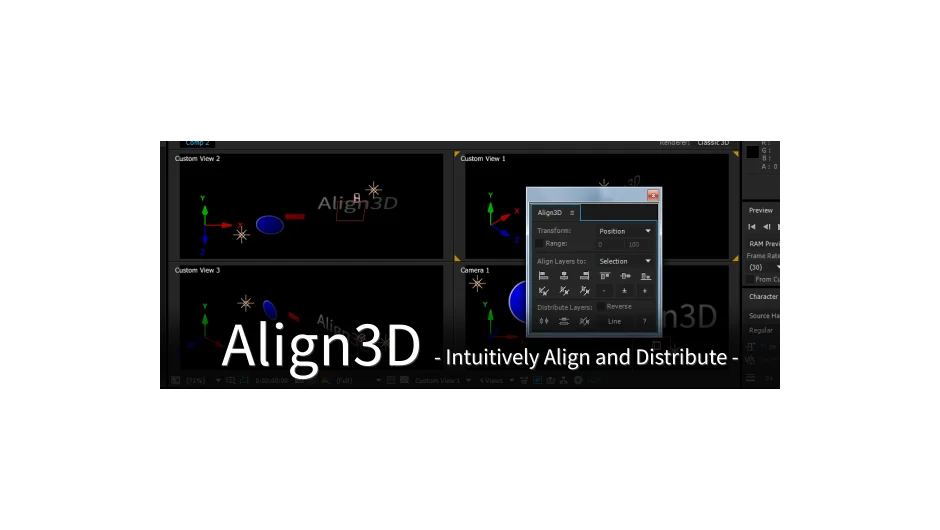
What It Does
Align3D positions layers in 3D space along the X, Y, and Z axes. Instead of manually adjusting coordinates for multiple layers, select your targets, choose alignment or distribution settings, and apply them in one click. It works across standard transforms like position and rotation, plus specialized properties like point of interest for cameras.
Key Features
3D axis control. Align or distribute layers along any combination of X, Y, or Z axes. This matters when you’re arranging elements in depth, not just on a flat plane.
Multiple transform types. Beyond position, the script handles anchor points, scale, rotation, orientation, opacity, and point of interest. That last one is particularly useful for camera work, where you need multiple cameras aimed at the same target.
Range mode. Define a custom value range for distribution instead of using the layers’ existing spread. For example, distribute five layers evenly between 0 and 1000 pixels on the Z axis, regardless of where they started.
Reverse option. Flip the distribution order when needed.
The workflow is straightforward: select layers, pick a transform type, set range and alignment options if you want them, check reverse if needed, click the button. Good for anything from basic layer organization to complex 3D arrangements in motion graphics or title sequences.
Pricing
Pay what you want. The suggested price is $29.99, but individual users can pay any amount. Businesses and teams need to pay the suggested price for a valid license.