
What It Does
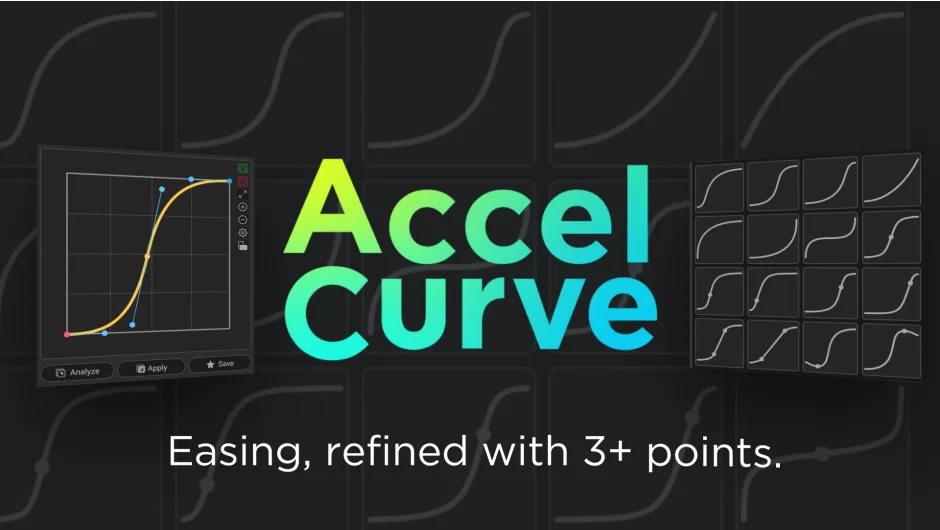
AccelCurve extends After Effects’ native easing system to support curves with three or more points. Instead of the standard two-point Bezier handles, you can add midpoints to create more complex, expressive motion curves. It analyzes easing from existing keyframes and applies those curves to other properties with a single click, automatically generating intermediate keyframes to preserve the curve shape.
Key Features
One-click easing analysis. Select keyframes with easing you want to reuse, and AccelCurve analyzes the curve. Click apply, and it transfers that easing to other selected keyframes, inserting intermediate keyframes as needed to match the multi-point curve. Note that some properties like path animations are not supported.
Edit curves beyond two points. The curve editor lets you add midpoints by Shift-clicking the curve and remove them with Alt-click. This gives you finer control over acceleration and deceleration than standard Bezier handles allow.
24 ready-to-use presets. Ships with a library of 3-point and 4-point curves designed for common motion scenarios. These serve as starting points or direct solutions for bounce, overshoot, and other organic movements.
Custom preset management. Save any curve you edit as a custom preset. Organize presets into groups, reorder them, rename them, and export/import preset libraries for sharing across projects or team members.
Velocity and acceleration graphs. View graphs that visualize velocity and acceleration over time, metrics not directly available in After Effects’ standard graph editor. The acceleration graph in particular helps you understand the forces acting on your motion, useful for matching physics or creating more believable animations.
Flexible interface. Switch between vertical and horizontal layouts. Resize the graph and preset areas independently to fit your panel arrangement. Toggle between thumbnail and card views for presets.
Who It’s For
Motion designers and animators who need precise control over easing, especially for character animation rigs, logo reveals, or kinetic typography where standard ease-in/ease-out feels too simple. If you’ve ever wanted an S-curve with an extra bump in the middle, or a bounce that eases out differently than it eases in, AccelCurve provides that control without nesting expressions or fake keyframes.
Pricing
$38 for a single-user license. Floating server licenses are available. A trial version lets you test functionality before purchase. Upgrade pricing may apply if you own previous grape design tools, visible after logging in.
